On this page
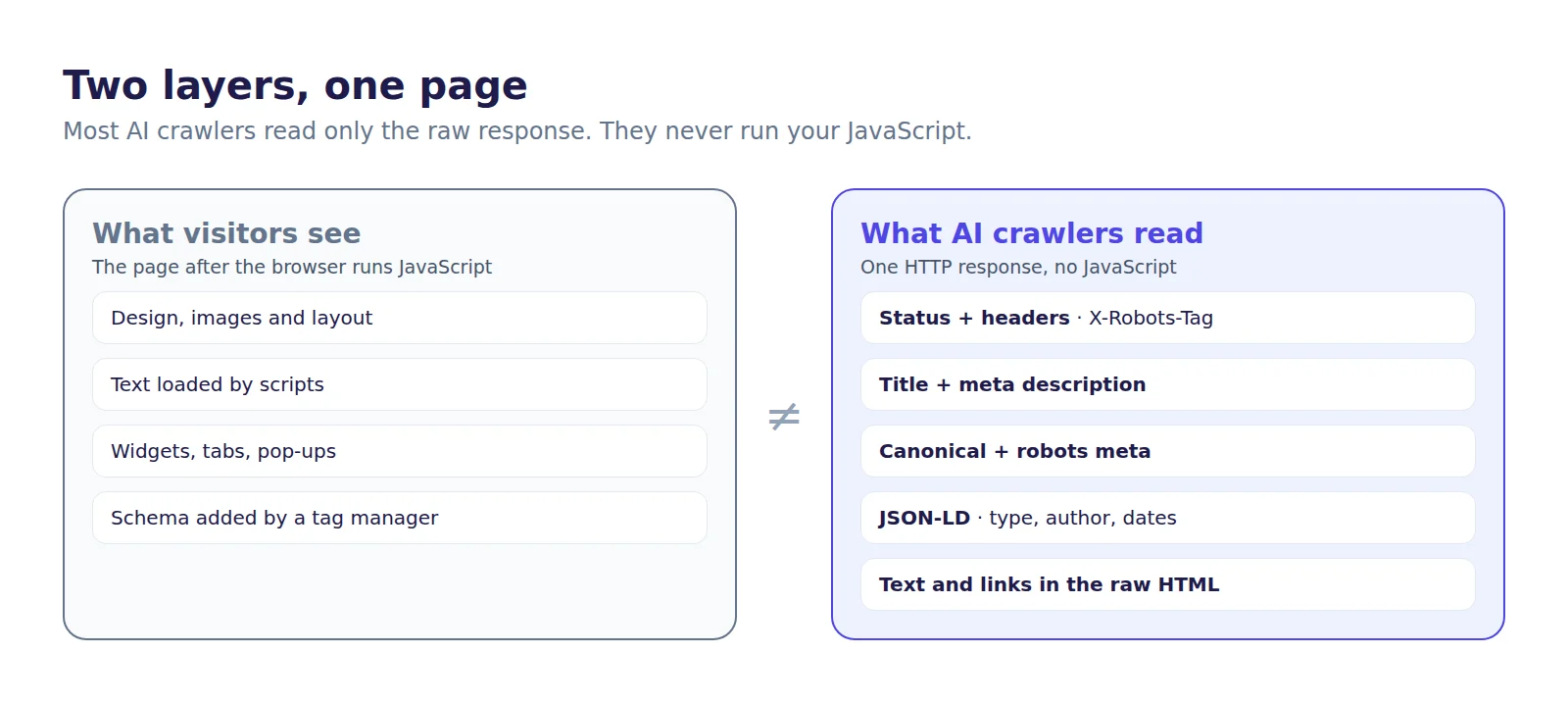
Every web page has two layers. Visitors see the design, the images and the text once the browser has finished running its scripts. Crawlers read something else: the raw HTML your server sends back, plus the machine-readable layer inside it, such as the title tag, meta tags, canonical link and JSON-LD structured data. When the two layers disagree, crawlers see the second one.
That matters more for AI crawlers than for Google. A December 2024 study by Vercel found that the major AI crawlers, including GPTBot, ClaudeBot and PerplexityBot, do not run JavaScript, while Googlebot (and Gemini, which uses its infrastructure) and Applebot do. Whatever is not in the first HTML response is, for most AI crawlers, simply not there. This guide shows how to see your page the way they do, in a few minutes, with tools you already have.
What a crawler actually reads
When GPTBot or ClaudeBot requests a page, it gets one HTTP response and works from that. The parts that carry meaning are:
- The status code and headers, including any
X-Robots-Tagheader that tells crawlers not to index the page. - The title and meta description, the shortest statement of what the page is about.
- The robots meta tag and canonical link, which say whether the page may be indexed and which URL is the original.
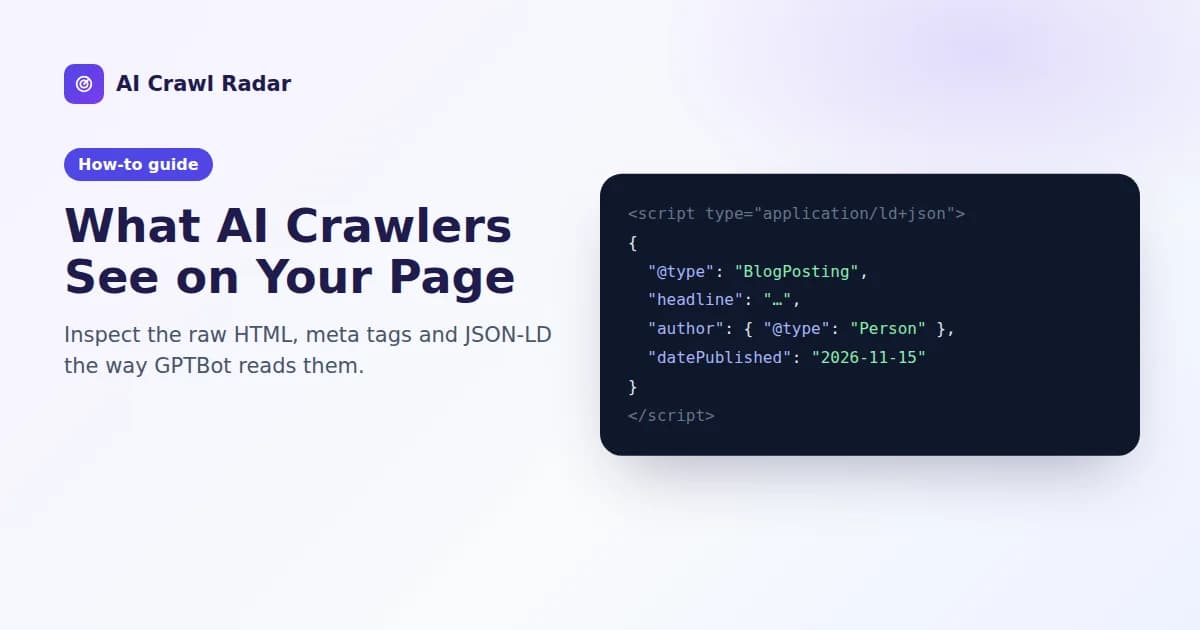
- JSON-LD structured data, which states facts outright: this is an article, by this author, published on this date, for this organization.
- The text and links in the raw HTML, which is all the content a non-rendering crawler gets.
Three ways to see it for yourself
1. View the source, not the inspector
In your browser, open the page and press Ctrl+U (or Cmd+Option+U on a Mac). That shows the HTML exactly as the server sent it. The developer tools' Elements panel shows the page after JavaScript has changed it, which is what Google eventually renders but not what most AI crawlers read. Search the source for application/ld+json, <title and a sentence from your main content. If the sentence is missing, the content is added by JavaScript.
2. Fetch it as the crawler
Some servers, CDNs and security plugins answer bots differently from browsers. Request the page with GPTBot's user agent and compare it with a normal request:
UA="Mozilla/5.0 AppleWebKit/537.36 (KHTML, like Gecko); compatible; GPTBot/1.1; +https://openai.com/gptbot"

curl -s -o /dev/null -w "browser: %{http_code}\n" https://www.example.com/
curl -s -o /dev/null -w "GPTBot:  %{http_code}\n" -A "$UA" https://www.example.com/
curl -s -A "$UA" https://www.example.com/ | less
A 403, a 429 or a challenge page for the GPTBot request where the browser gets 200 means something is treating AI crawlers differently. Read the result with care: your request does not come from OpenAI's IP addresses, so a firewall that verifies crawlers may block your test and still let the real GPTBot in. A block here is a lead to check in your firewall or CDN settings, not proof.
3. Summarize it with a script
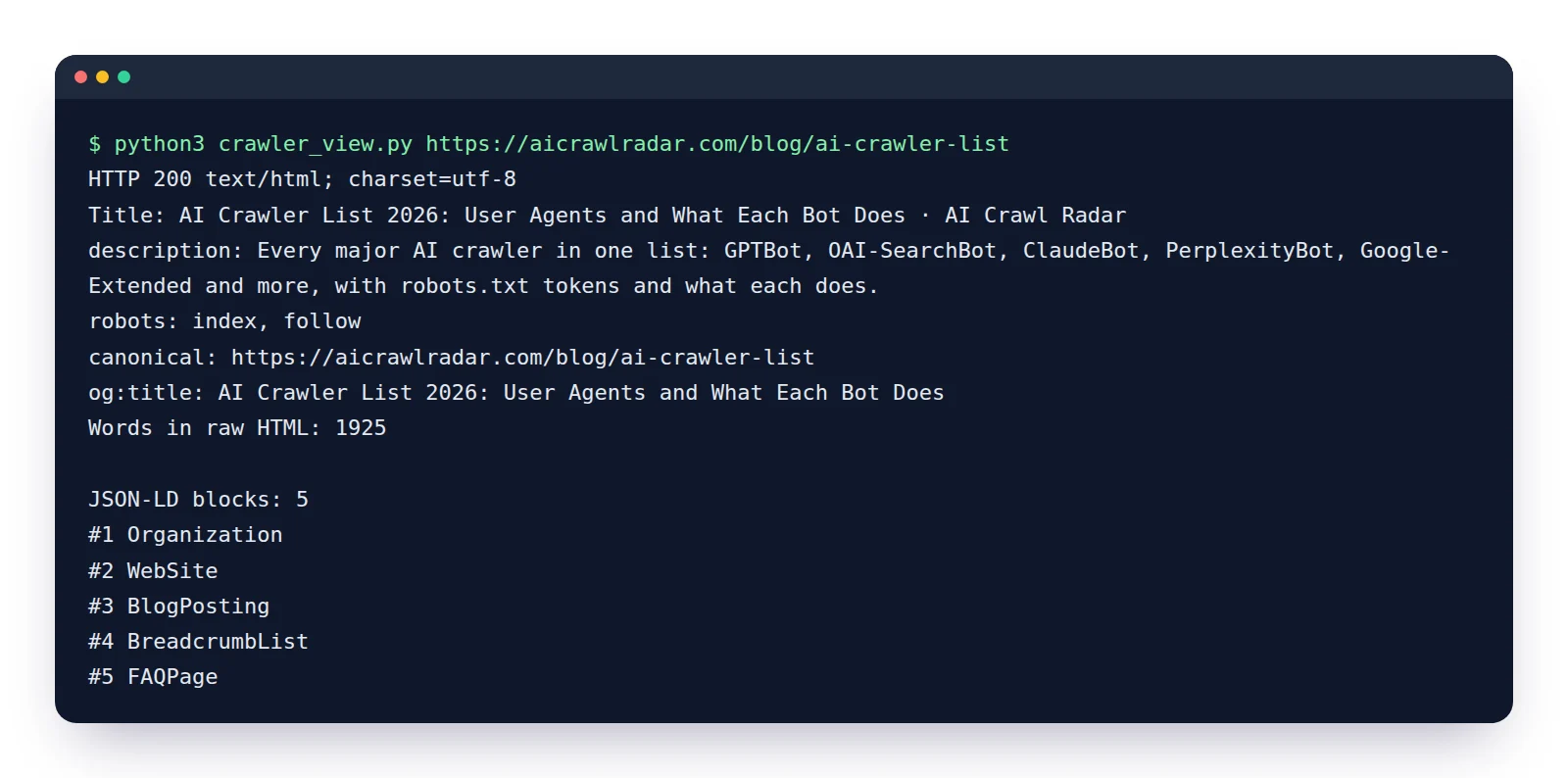
The short Python script below fetches a page as GPTBot and prints what a crawler would take away: the title, the key meta tags, how many words are in the raw HTML, and every JSON-LD block with its type. It uses only the standard library, so it runs anywhere Python 3 is installed.
import json, re, sys, urllib.request
from html.parser import HTMLParser

UA = "Mozilla/5.0 AppleWebKit/537.36 (KHTML, like Gecko); compatible; GPTBot/1.1; +https://openai.com/gptbot"

class Page(HTMLParser):
    def __init__(self):
        super().__init__()
        self.meta, self.jsonld, self.text, self.title = {}, [], [], ""
        self._in = None
    def handle_starttag(self, tag, attrs):
        a = dict(attrs)
        if tag == "meta" and a.get("content"):
            key = a.get("name") or a.get("property")
            if key:
                self.meta[key.lower()] = a["content"]
        elif tag == "link" and a.get("rel") == "canonical":
            self.meta["canonical"] = a.get("href")
        elif tag == "script" and a.get("type") == "application/ld+json":
            self._in = "jsonld"; self.jsonld.append("")
        elif tag in ("script", "style", "noscript"):
            self._in = "skip"
        elif tag == "title":
            self._in = "title"
    def handle_endtag(self, tag):
        if tag in ("script", "style", "noscript", "title"):
            self._in = None
    def handle_data(self, data):
        if self._in == "jsonld": self.jsonld[-1] += data
        elif self._in == "title": self.title += data
        elif self._in is None: self.text.append(data)

req = urllib.request.Request(sys.argv[1], headers={"User-Agent": UA})
with urllib.request.urlopen(req, timeout=20) as r:
    print("HTTP", r.status, r.headers.get("content-type"))
    page = Page(); page.feed(r.read().decode("utf-8", "replace"))

print("Title:      ", page.title.strip())
for k in ("description", "robots", "canonical", "og:title"):
    print(f"{k + ':':12}", page.meta.get(k, "(missing)"))
print("Words in raw HTML:", len(re.findall(r"\w+", " ".join(page.text))))

print(f"\nJSON-LD blocks: {len(page.jsonld)}")
for i, block in enumerate(page.jsonld, 1):
    try:
        data = json.loads(block)
    except ValueError as e:
        print(f"  #{i} PARSE ERROR: {e}"); continue
    items = data if isinstance(data, list) else data.get("@graph", [data])
    print(f"  #{i}", ", ".join(str(x.get("@type")) for x in items if isinstance(x, dict)))
Save it as crawler_view.py and run python3 crawler_view.py https://www.example.com/your-page. Unlike a quick one-liner that stops at the first match, it lists every JSON-LD block, which is where most problems hide.
How to read the result
| What you see | What it means | What to do |
|---|---|---|
| Status other than 200 | The crawler gets an error, a redirect chain or a block instead of your page. | See firewalls, redirects and bot challenges. |
robots: noindex | You are asking search and AI systems not to index this page. | Remove it unless the page really should stay out. See technical SEO for AI. |
Description or canonical (missing) | Crawlers have to guess the summary and the original URL. | Add both. The canonical should usually point to the page itself. |
| Very few words in the raw HTML | The visible content is rendered by JavaScript, so most AI crawlers miss it. | Serve the main content in the HTML. See fixing JavaScript-only pages. |
JSON-LD blocks: 0 | Nothing on the page states its type, author or organization. | Add the recommended types from structured data for AI. |
PARSE ERROR | The block is invalid JSON, so crawlers ignore all of it. | Look for trailing commas, unescaped quotes or a template variable left in. |
| The same type twice with different values | Two plugins or templates are both emitting schema and contradict each other. | Keep one source and switch the other off. |
Watch for schema added by a tag manager. JSON-LD injected with Google Tag Manager or another script appears in the browser's inspector but not in the page source. Google can pick it up after rendering. Most AI crawlers never will. If the script above shows fewer JSON-LD blocks than your browser's inspector, that is the reason.
Check that the JSON-LD matches the page
Valid JSON-LD can still be wrong. For each block, check three things:
- The
@typefits the page. An article should beArticleorBlogPosting, a product pageProduct, and the homepage usuallyOrganizationandWebSite. - The values match what visitors see. The headline, author, dates and prices in the markup should be the ones on the page. Markup that describes content visitors cannot see is against Google's guidelines and helps no one.
- The basics are filled in. An article without an author or a date, or an organization without a name and URL, leaves crawlers to infer exactly what structured data was meant to state.
For a second opinion, paste the URL into Google's Rich Results Test, which shows what Google can use after rendering, and the Schema Markup Validator, which checks against the full schema.org vocabulary.
Let the audit do it for every check at once
The AI Crawl Radar audit reads your page the same way: one request, raw HTML, no JavaScript. It then reports what it found in the same layers covered here, including the response and headers, title, description, canonical and robots tags, whether the content is available without JavaScript, how many JSON-LD blocks parse, and which recommended schema types are missing, with a ready-to-paste snippet for each. Running it after a change is the quickest way to confirm that the crawler's view of the page matches yours.
Related guides
Frequently asked questions
6 questions people ask about this topic
Do AI crawlers run JavaScript?
How can I see my page the way GPTBot sees it?
Why does my JSON-LD show in the inspector but not in the page source?
Does it matter if my page has several JSON-LD blocks?
Is fetching my page with a GPTBot user agent a reliable test?
Which tools validate JSON-LD?
See how AI crawlers read your site
Run a free AI visibility audit: a 0–100 score and a fix for every lost point.
Analyze my website