On this page
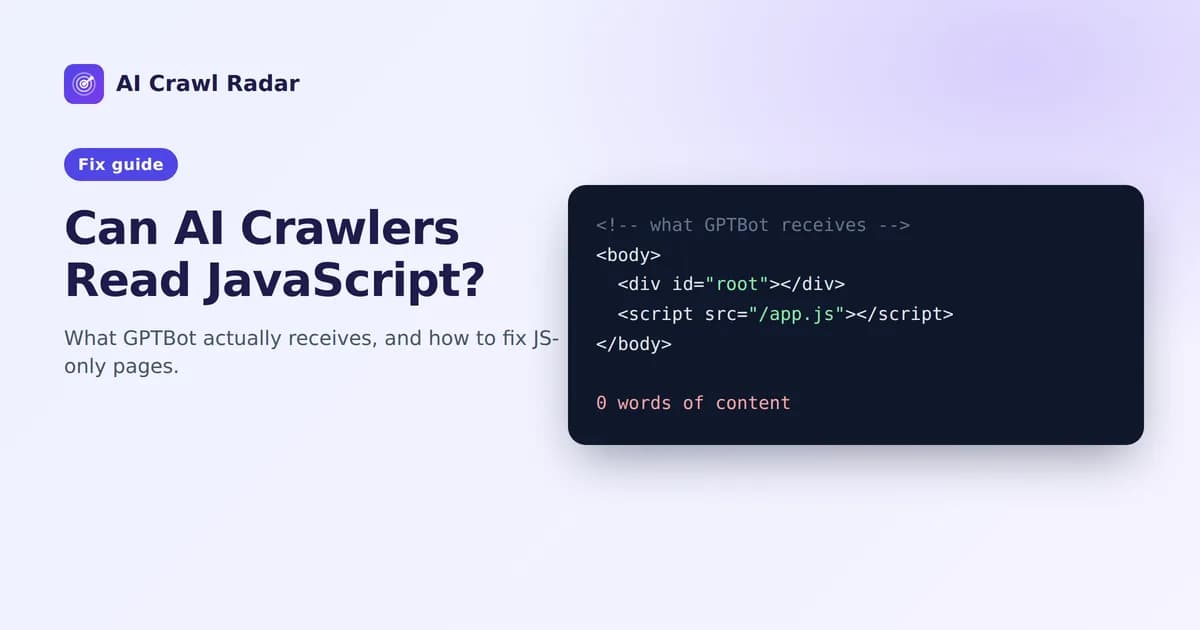
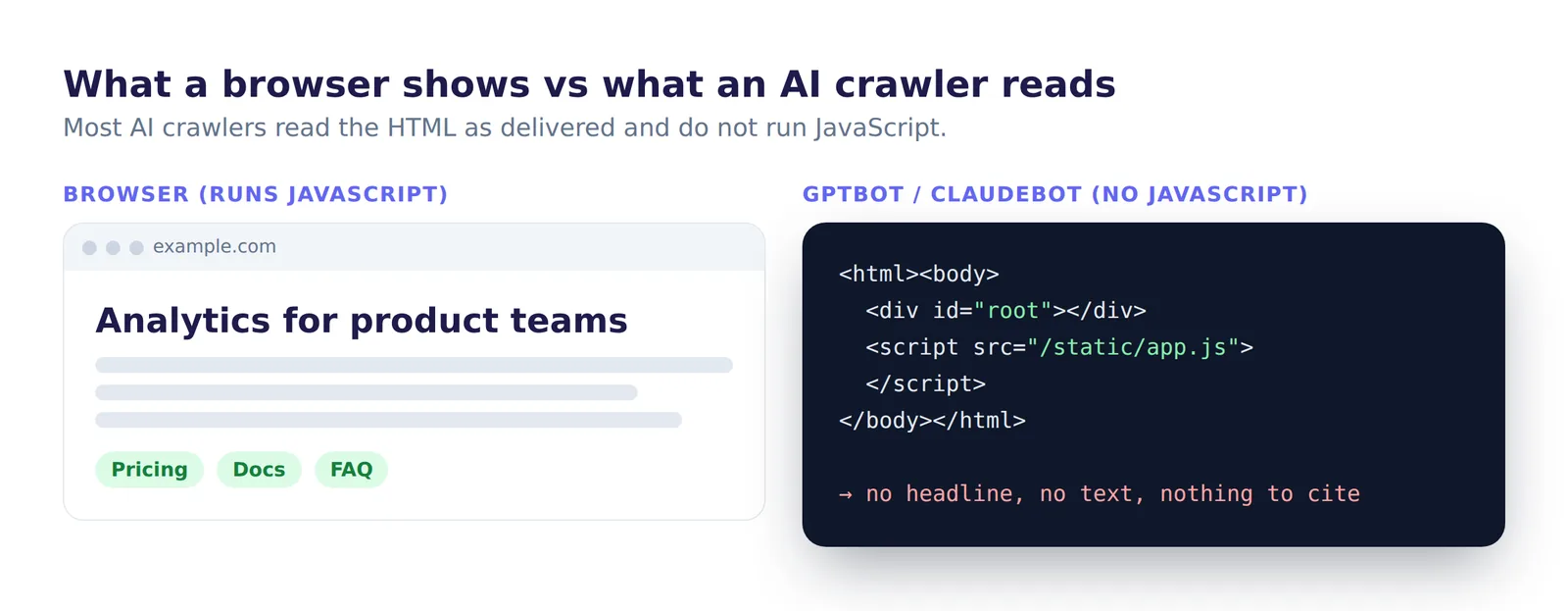
Can AI crawlers read JavaScript? Mostly not. Most AI crawlers download your HTML and read it as it arrives. Unlike a browser, they generally do not run your JavaScript. If your page builds its text in the browser after load, those crawlers receive an empty shell, and your content might as well not exist for them. Googlebot is the exception: it renders JavaScript, so a page can rank in Google and still look empty to GPTBot, ClaudeBot or PerplexityBot. Google describes its own rendering in its JavaScript SEO basics.
Content Accessibility is worth 15 of the 100 points in an AI Crawl Radar audit. It checks whether a crawler that does not run JavaScript can still read your page, and whether what it reads is substantial and well structured.
What the check measures
| Signal | Share of the category |
|---|---|
| Main content is present in the initial HTML (no JavaScript needed) | 40% (5% if it seems to need JavaScript) |
| At least one H1 heading | 15% |
| Word count: 500+ words, or 250–499 | 20%, or 10% |
| Fewer than 30% of images missing alt text (or no images) | 10% |
| Text-to-HTML ratio above 5% | 15% (5% otherwise) |
The first row is the big one, and it is also where the most serious finding comes from.
"Content appears to require JavaScript" (critical)
The audit flags this when the raw HTML contains fewer than about 50 words of visible text and looks like a JavaScript application shell: a root element such as <div id="root">, id="app", id="__next" or id="__nuxt", or more than five script tags. That is the signature of a page that is rendered in the browser.
To see what a crawler sees, view the raw source of your page (View Source, not the Elements panel, which shows the page after JavaScript ran), or fetch it from a terminal:
curl -s https://yourdomain.com/ | sed -e 's/<[^>]*>//g' | head -50If your headline and main paragraphs are not in that output, AI crawlers cannot read them either.
How to fix it
The fix is to send real HTML from the server. The report lists this as "Serve content server-side (SSR/SSG)". How you do it depends on your stack:
- React: move to a framework that renders on the server, such as Next.js or Remix, or pre-render static routes at build time.
- Next.js: make sure content pages use server components or static generation, and that the main text is not fetched in a client-side
useEffect. - Vue: use Nuxt with server-side rendering or static generation.
- Angular: use Angular's server-side rendering.
- Single-page apps you cannot change: a pre-rendering service can serve a rendered snapshot to crawlers. Serve the same content to bots and users. Showing crawlers different content is cloaking, which search engines penalize.
Interactive parts can stay client-side. Only the content you want read and cited needs to be in the initial HTML: headings, body text, product details, FAQs. Widgets, charts and forms can still load with JavaScript.
"Thin content"
The audit counts the words in the visible text of your page. Under 250 words raises a Thin content warning; 500 or more earns the full word-count share. Answer engines quote pages that actually answer something, and a page of three sentences rarely does.
Fix: add substance, not filler. Explain what the page offers, who it is for, how it works and the questions people ask about it. Useful additions include specifications, step-by-step instructions, comparisons and a short FAQ. A product or landing page does not need 2,000 words, but it does need enough text to answer a real question on its own.
"Add a single descriptive H1"
The page has no <h1>. The H1 is the clearest signal of what a page is about, for search engines and for AI systems that extract passages.
Fix: give each page one H1 that names its topic in plain words, such as "Project management software for small agencies" rather than "Welcome". Use H2 and H3 headings below it to structure the rest. Many themes turn the logo into an H1 or use no H1 at all; check the HTML, not the visual design.
Images without alt text
If 30% or more of your images have no alt attribute, you lose this share. Alt text is what a crawler "sees" instead of the image.
Fix: describe what each meaningful image shows, as in alt="Dashboard showing weekly active users rising from 1,200 to 1,850". Purely decorative images should have an empty alt="", which tells crawlers to skip them.
Low text-to-HTML ratio
If visible text makes up 5% or less of your HTML's size, the page is mostly markup, inline scripts and styles. Crawlers download all of it to find a little text.
Fix: move large inline scripts and styles into external files, remove unused markup from your theme, and avoid shipping huge serialized data blobs in the page when you only need a fraction of them.
Verify
- Fetch the raw HTML with
curland confirm your H1 and body text are present. - Re-run the AI visibility audit and check the Content Accessibility category.
Related guides
- Technical SEO for AI visibility
- GEO and AEO readiness: making content citable
- Structured data for AI: JSON-LD injected by JavaScript is invisible to these crawlers too
- How to run an AI visibility audit
Frequently asked questions
6 questions people ask about this topic
Can AI crawlers render JavaScript?
How can I see what an AI crawler sees on my page?
Does my React or Vue site need server-side rendering?
Is serving different HTML to AI bots cloaking?
How many words does a page need?
Do images and alt text matter for AI crawlers?
See how AI crawlers read your site
Run a free AI visibility audit: a 0–100 score and a fix for every lost point.
Analyze my website