On this page
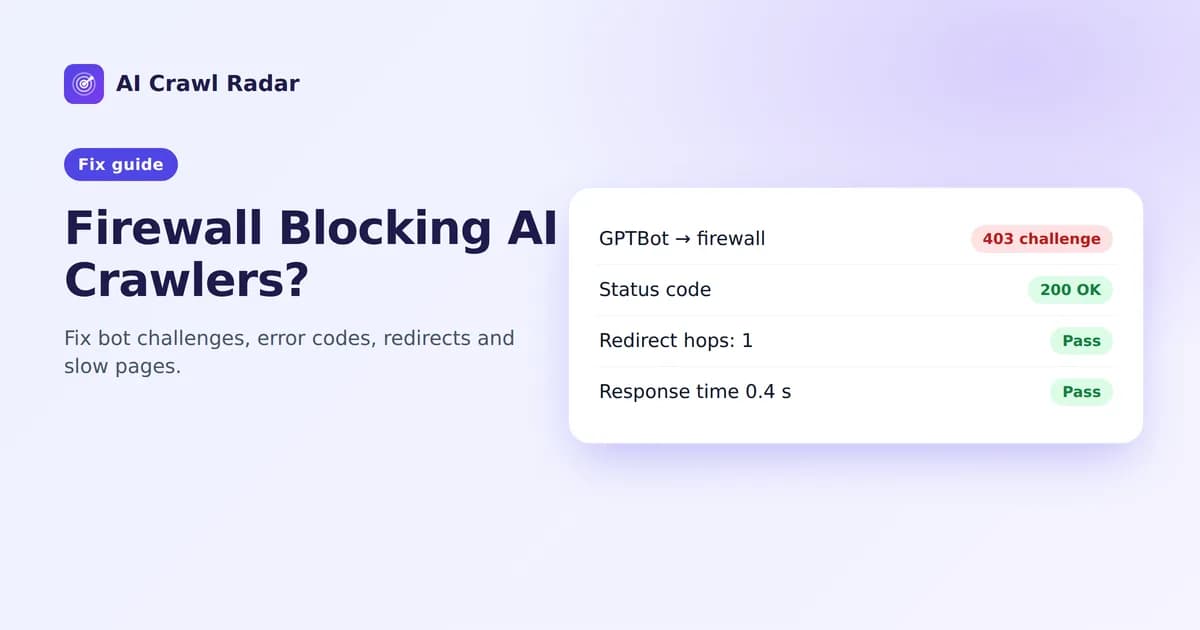
Before a crawler can read anything, your server has to answer, quickly and with the page, not an error or a challenge screen. HTTP Health & Performance is worth 5 of the 100 points in an AI Crawl Radar audit. The points are few, but one finding in this category, Bot challenge detected, can outweigh everything else in your report. If you suspect a firewall blocking AI crawlers, this is the category that shows it.
How the category is scored
| Signal | Share of the category |
|---|---|
| The page returns a 2xx status code | 50% |
| No bot challenge detected | 20% |
| At most one redirect before the page | 15% (5% with more) |
| Response time under 1.5 s, or under 3 s | 15%, or 8% |
Response time is measured from the audit server to your site, from the first request to the complete response, including any redirects.
"Bot challenge detected" (critical)
The audit raises this when your page answers with 403, 429 or 503 and the response carries the signature of an anti-bot service: Cloudflare, hCaptcha, reCAPTCHA, Imperva or Akamai. In plain terms: a firewall stopped the audit at the door and asked it to prove it was human.
If our audit was challenged, AI crawlers are very likely challenged too, and AI crawlers do not solve CAPTCHAs. Your robots.txt may say "welcome", but the firewall says "no". This is why it is critical: the AI Bot Access category reads your robots.txt and cannot see a firewall, so a challenged site can show a good robots.txt score and still be invisible.
How to fix it
The report recommends "Allowlist verified AI crawlers" in the service it detected. The general approach is the same everywhere:
- Find the rule that challenges bots. Look for "bot fight" modes, "block AI bots" toggles, aggressive rate limits, or JavaScript or CAPTCHA challenges applied to all traffic.
- Allow verified crawlers instead of all bots. Most providers maintain a list of verified bots, checked by IP range or reverse DNS, that you can exempt. Exempt the ones you want: search engines plus the AI crawlers you chose to allow.
- Avoid allowlisting by user-agent alone. Anyone can send
User-Agent: GPTBot. Use the provider's verified-bot feature, such as Cloudflare's verified bots, or the IP ranges the AI companies publish, such as OpenAI's crawler list. - Keep protection where it matters. Login, checkout and forms can stay strictly protected; public content pages are what crawlers need.
Cloudflare, step by step
On Cloudflare, check both the bot settings (for example "Block AI bots" and Bot Fight Mode) and any custom WAF rules. The managed robots.txt option is a separate setting that changes your robots.txt rather than blocking requests. Our robots.txt guide covers it.
A non-2xx status code
If the audited URL returns 404, 410, 500 or any status outside 200–299, the category loses half its value, and most other checks have little real content to work with.
- 404 / 410: you audited a URL that does not exist. Check for typos, or restore the page or redirect it to its replacement.
- 5xx: your server failed. Check server logs and error tracking; intermittent 5xx under load also hurts crawling.
- 403 without a challenge signature: a server rule, security plugin or geo-block is refusing the request. Check what blocks unknown clients or data center IP ranges.
"Long redirect chain"
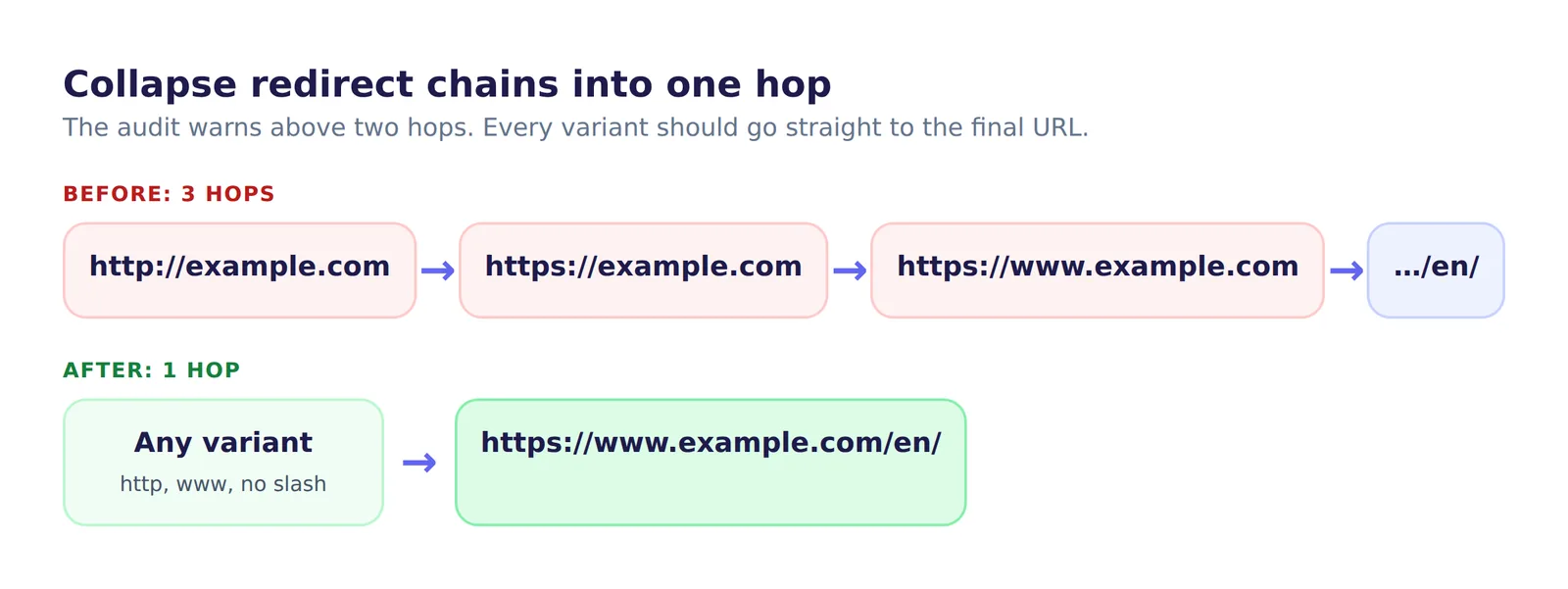
The audit counts the hops between the URL you entered and the final page. One redirect is fine, and expected for http→https. More than two raises a Long redirect chain warning, because each hop costs time and some crawlers give up after a few.
A typical chain looks like this:
http://example.com
 → https://example.com
 → https://www.example.com
 → https://www.example.com/en/
Two hops raise no warning but already cost points: the redirect share drops from 15% to 5% after the first hop.
Fix: redirect every variant straight to the final URL in one hop. Update internal links, canonical tags and your sitemap to use the final URL directly, so crawlers rarely meet a redirect at all.
Slow responses
Under 1.5 seconds earns the full share and under 3 seconds earns part of it. Slow responses also make crawlers fetch fewer of your pages.
- Cache full HTML pages at your CDN or with a page-cache plugin for content that is the same for every visitor.
- Avoid rendering everything per request when the page rarely changes. Pre-render or cache it.
- Look at time to first byte separately from page weight. A slow TTFB points at the server or database; a slow full download points at heavy HTML.
- Measure from more than one place. A site hosted far from the audit server will be slower for it. That is real, since crawlers also come from data centers, but compare with your own measurements before re-architecting.
Verify
# Status code and redirect hops
curl -sIL https://yourdomain.com/ | grep -iE "^HTTP|^location"

# Time to first byte and total time
curl -s -o /dev/null -w "TTFB %{time_starttransfer}s  total %{time_total}s\n" https://yourdomain.com/
Then re-run the AI visibility audit and confirm the bot-challenge finding is gone.
Related guides
Frequently asked questions
6 questions people ask about this topic
Why is my firewall blocking AI crawlers?
How do I check whether Cloudflare is blocking GPTBot?
Can I allowlist AI crawlers by user agent?
Should I block AI crawlers by IP address?
How fast does my page need to respond?
How many redirects are too many?
See how AI crawlers read your site
Run a free AI visibility audit: a 0–100 score and a fix for every lost point.
Analyze my website