On this page
Anyone can send a request that says it is GPTBot. The user-agent string is just text the client chooses, and scrapers routinely borrow the names of well-known crawlers to look legitimate or to slip past bot rules. If you count AI crawler visits, allow-list them in a firewall, or block bots that misbehave, you need to verify AI crawlers by where they come from, not by what they call themselves.
This guide shows the two methods the AI companies themselves publish, step-by-step commands you can run, and what to do with the fakes you find.
Why the user agent is not enough
A request from a real OpenAI crawler and a request from a script on a rented server can carry the identical user agent. Treating both the same causes three problems:
- Inflated numbers. Your "GPTBot visits" may be mostly impostors, so you overestimate how much AI systems read your site.
- Holes in your firewall. An allow rule for "anything named ClaudeBot" lets every scraper that copies the name straight through.
- Blocking the wrong bot. If you block an IP that was a fake GPTBot, nothing is lost. If you block a range by user agent alone, you may cut off the real one.
Two ways to prove a crawler is real
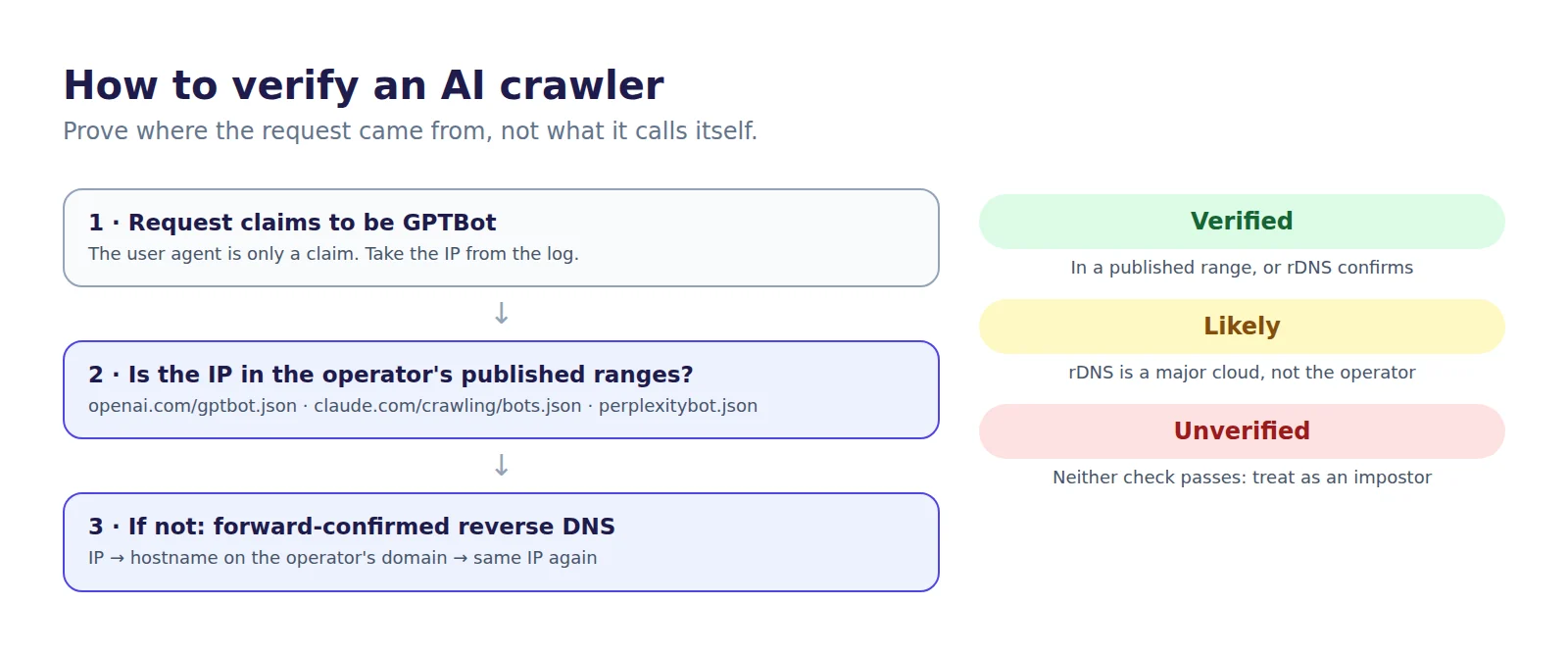
The major operators support one or both of these checks. Either one, done properly, proves the request came from the company it names.
- Published IP ranges. The operator publishes a JSON list of the IP ranges its crawler uses. If the request's IP falls inside a listed range, it is genuine.
- Forward-confirmed reverse DNS. You look up the hostname for the IP, check it belongs to the operator's domain, then look that hostname up again and confirm it points back to the same IP. The second lookup matters: anyone can set a misleading reverse DNS name on an IP they control, but they cannot make the operator's domain resolve to it.
Where each operator publishes its proof
| Operator | Bots | How to verify |
|---|---|---|
| OpenAI | GPTBot, OAI-SearchBot, ChatGPT-User | IP ranges: openai.com/gptbot.json, openai.com/searchbot.json, openai.com/chatgpt-user.json |
| Anthropic | ClaudeBot, Claude-SearchBot, Claude-User | IP ranges: claude.com/crawling/bots.json |
| Perplexity | PerplexityBot, Perplexity-User | IP ranges: www.perplexity.ai/perplexitybot.json, www.perplexity.ai/perplexity-user.json |
| Googlebot and Google's other crawlers | Reverse DNS ending in googlebot.com, google.com or googleusercontent.com, or the IP range files Google publishes | |
| Microsoft | Bingbot | Reverse DNS ending in search.msn.com, or bing.com/toolbox/bingbot.json |
| Apple | Applebot | Reverse DNS ending in applebot.apple.com |
| Amazon | Amazonbot | Reverse DNS ending in crawl.amazonbot.amazon |
Ranges change, so fetch these files on a schedule rather than copying them once. Google-Extended and Applebot-Extended never appear in logs: they are robots.txt control tokens, and the crawling is done by Googlebot and Applebot.
Step by step: verify with reverse DNS
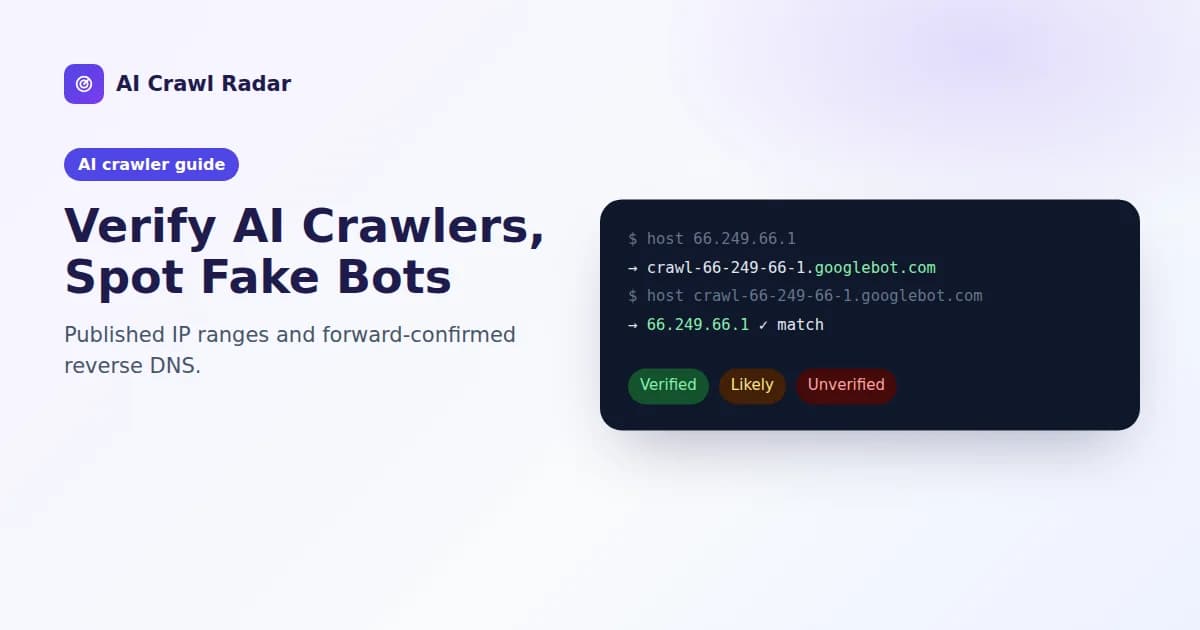
Take an IP from your access log that claims to be Googlebot, for example 66.249.66.1, and run two lookups:
$ host 66.249.66.1
1.66.249.66.in-addr.arpa domain name pointer crawl-66-249-66-1.googlebot.com.

$ host crawl-66-249-66-1.googlebot.com
crawl-66-249-66-1.googlebot.com has address 66.249.66.1
The hostname ends in googlebot.com and resolves back to the same IP, so the visit is genuine. If the first lookup returns a hosting provider's name, or the second returns a different IP, it is not Google.
Step by step: verify with published IP ranges
For OpenAI, Anthropic and Perplexity, check the IP against the published list. This short Python script works with any of the JSON files above:
import ipaddress, json, sys, urllib.request

ip = ipaddress.ip_address(sys.argv[1])
url = sys.argv[2]  # e.g. https://openai.com/gptbot.json

# Some hosts refuse the default Python user agent.
req = urllib.request.Request(url, headers={"User-Agent": "Mozilla/5.0 (range-check)"})
data = json.load(urllib.request.urlopen(req))
ranges = [v for p in data.get("prefixes", [])
          for k, v in p.items() if k.endswith("Prefix")]

print("verified" if any(ip in ipaddress.ip_network(r) for r in ranges)
      else "not in published ranges")
Run it as python3 verify.py 203.0.113.7 https://openai.com/gptbot.json. To find candidates in the first place, list the IPs that claimed a bot name in your log:
grep -i "gptbot" /var/log/nginx/access.log \
  | awk '{print $1}' | sort | uniq -c | sort -rn | head
Verified, likely or unverified
Not every request falls neatly into real or fake, so label results in three bands:
- Verified: the IP is in the operator's published ranges, or its reverse DNS is the operator's domain and confirms forward.
- Likely: the reverse DNS points to a major cloud provider rather than the operator. Some legitimate fetches run there, but it is not proof.
- Unverified: neither check passes. Treat it as an ordinary visitor that happens to use a crawler's name.
What to do with fake crawlers
- Do not use robots.txt. A fake bot ignores it, and a rule naming GPTBot only affects the real GPTBot.
- Block or rate-limit by IP or network in your firewall or CDN, for requests that claim a crawler's name but fail verification.
- Allow-list verified bots, not names. Most CDNs offer a "verified bots" category built on exactly these checks. Use it instead of a user-agent match.
- Keep opt-outs in robots.txt. To stop the real crawlers, Anthropic advises using robots.txt rather than IP blocking, which may not work correctly or persistently.
Let the plugin do it on WordPress
The free AI Visibility Optimizer plugin runs these checks for you. When you switch on AI-crawler tracking, each visit from a known AI crawler is checked against the operators' published ranges and with forward-confirmed reverse DNS, then logged as Verified, Likely or Unverified. The ranges it checks against come from the operators' own published files. The visitor's IP is used only for the check and is not stored with the log entry. Tracking is off until you turn it on. The plugin setup guide shows where to find it.
Related guides
Frequently asked questions
6 questions people ask about this topic
Can someone fake the GPTBot user agent?
Where does OpenAI publish GPTBot's IP addresses?
How do I verify ClaudeBot?
Why is a forward DNS lookup needed after reverse DNS?
Should I block fake AI crawlers with robots.txt?
Does the AI Crawl Radar WordPress plugin verify crawlers automatically?
See how AI crawlers read your site
Run a free AI visibility audit: a 0–100 score and a fix for every lost point.
Analyze my website