On this page
Structured data is a small block of machine-readable facts about your page, written in the Schema.org vocabulary: who publishes it, what kind of page it is, where it sits in your site. Search engines use it for rich results; structured data for AI systems does a related job, letting them identify entities without guessing from prose.
In an AI Crawl Radar audit, Structured Data is worth 10 of the 100 points. This guide explains how it is scored and how to add the four types the audit recommends.
How the check works
The audit reads every <script type="application/ld+json"> block on the page, parses it, and collects the top-level @type values, including items inside an @graph. Then:
- The score is the number of distinct types found, out of four. Four or more types give the full 10 points.
- If any JSON-LD block fails to parse, the category is multiplied by 0.7: broken markup costs you 30% of whatever you earned.
- The audit recommends four types in particular: Organization, WebSite, WebPage and BreadcrumbList. Any that are missing appear as the finding "Missing schema: …", with a ready-made snippet for each type that has a template.
JSON-LD only. The audit reads JSON-LD, the format Google recommends. Schema written as microdata or RDFa attributes in your HTML is not counted.
Add the four recommended types
Put JSON-LD in a script tag, in the <head> or the body, on every page where it applies. Replace the example values with yours.
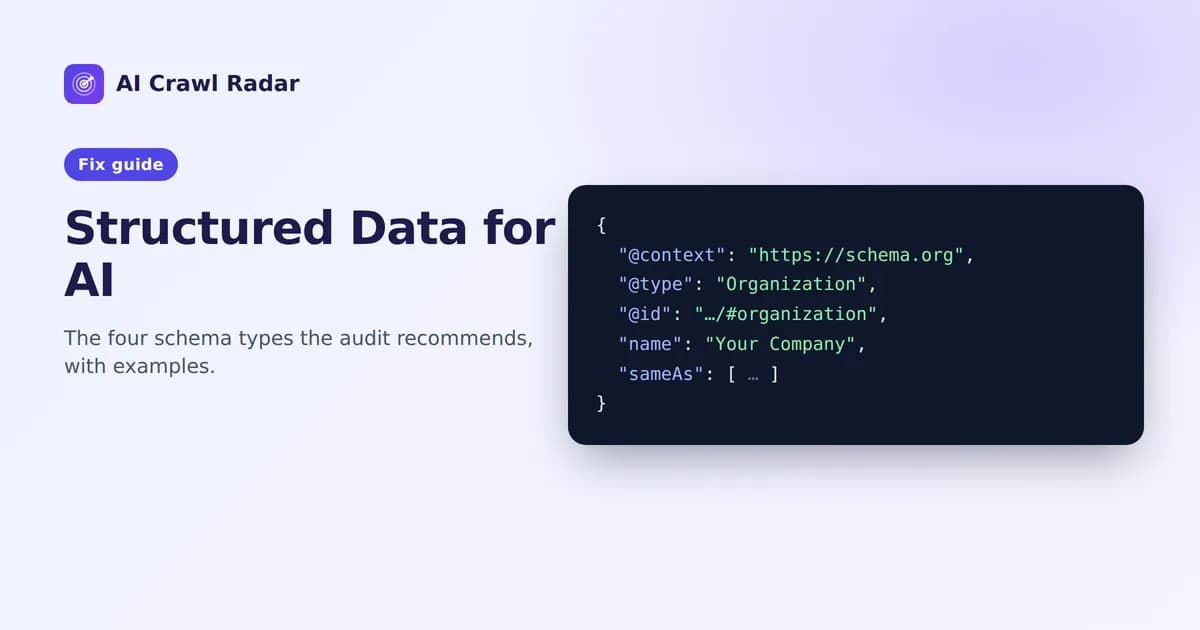
Organization: who is behind the site
<script type="application/ld+json">
{
  "@context": "https://schema.org",
  "@type": "Organization",
  "@id": "https://yourdomain.com/#organization",
  "name": "Your Company",
  "url": "https://yourdomain.com/",
  "logo": "https://yourdomain.com/logo.png",
  "sameAs": [
    "https://www.linkedin.com/company/your-company",
    "https://github.com/your-company"
  ]
}
</script>
sameAs links your organization to its profiles elsewhere, which helps systems recognize you as one entity. Only list profiles that really exist and that you control.
WebSite: the site as a whole
{
  "@context": "https://schema.org",
  "@type": "WebSite",
  "@id": "https://yourdomain.com/#website",
  "name": "Your Company",
  "url": "https://yourdomain.com/",
  "publisher": { "@id": "https://yourdomain.com/#organization" }
}
The snippet in your report includes a SearchAction. Keep it only if your site really has a search page at that URL. Describing a search box that does not exist is the kind of untrue markup you should never publish.
WebPage: this specific page
{
  "@context": "https://schema.org",
  "@type": "WebPage",
  "@id": "https://yourdomain.com/pricing",
  "url": "https://yourdomain.com/pricing",
  "name": "Pricing",
  "isPartOf": { "@id": "https://yourdomain.com/#website" }
}
You can use a more specific subtype when it fits, such as AboutPage, ContactPage or FAQPage. The audit matches type names exactly, though, so a subtype on its own still shows WebPage as missing. Use "@type": ["WebPage", "AboutPage"] if you want both.
BreadcrumbList: where the page sits
{
  "@context": "https://schema.org",
  "@type": "BreadcrumbList",
  "itemListElement": [
    { "@type": "ListItem", "position": 1, "name": "Home", "item": "https://yourdomain.com/" },
    { "@type": "ListItem", "position": 2, "name": "Pricing", "item": "https://yourdomain.com/pricing" }
  ]
}
Breadcrumbs should match a path a visitor could actually follow.
Connecting the pieces with @id
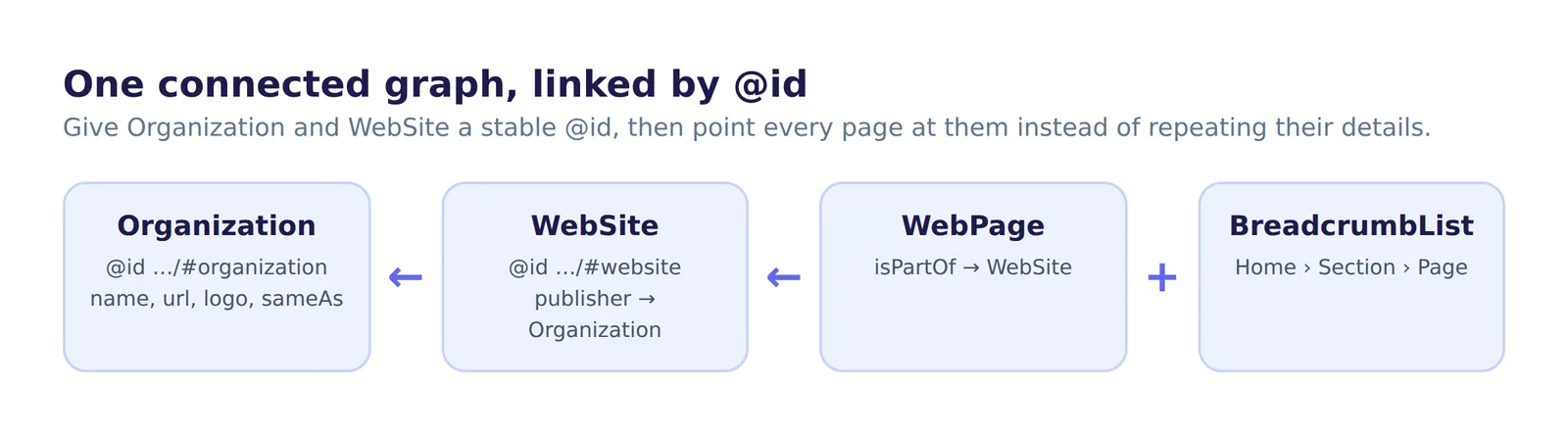
Notice the @id values. Giving your Organization and WebSite a stable @id lets every other block point to them instead of repeating their details. That builds one connected graph rather than a pile of disconnected facts. You can also put several items in one script tag:
{
  "@context": "https://schema.org",
  "@graph": [
    { "@type": "Organization", "@id": "https://yourdomain.com/#organization", "name": "Your Company", "url": "https://yourdomain.com/" },
    { "@type": "WebSite", "@id": "https://yourdomain.com/#website", "url": "https://yourdomain.com/", "publisher": { "@id": "https://yourdomain.com/#organization" } }
  ]
}
Fixing parse errors
A single typo makes a whole block invalid, and the audit then applies the 30% penalty. The usual causes are:
- A trailing comma after the last property or array item.
- Unescaped double quotes inside a value, for example in a product name.
- Comments: JSON does not allow
//or/* */. - A template that outputs an empty value, leaving
"name": ,.
Paste the block into any JSON validator, or into Google's Rich Results Test, to find the exact line.
Do AI systems actually use schema?
AI providers do not document exactly how they use structured data. What is clear is that it feeds the search indexes many AI answers draw on, and that it states plainly who publishes a page and what it is about, which leaves less to guess. It must also be in the initial HTML: JSON-LD injected by JavaScript is invisible to crawlers that don't run scripts (see content accessibility for AI crawlers). The full vocabulary is documented at schema.org.
What not to mark up
Structured data must describe what is actually on the page. Do not add ratings or reviews nobody left, prices you do not show, or FAQs that are not visible to users. Search engines treat misleading markup as spam, and it undermines the trust signals you are trying to build.
Verify
- View the page source and confirm each JSON-LD block is present and valid.
- Re-run the AI visibility audit. The Structured Data score rises, and the "Missing schema" finding lists fewer types or disappears. Export JSON shows exactly which types were detected.
- On WordPress, the AI Visibility Optimizer plugin outputs Organization, WebSite, BreadcrumbList and BlogPosting itself, steps back when Yoast or Rank Math is active, and adds FAQPage for on-page Q&A, so you do not end up with duplicates.
Related guides
Frequently asked questions
6 questions people ask about this topic
Does schema markup help my site get cited by ChatGPT?
Then why does the audit check structured data?
Which schema types does the audit recommend?
Does microdata or RDFa count in the audit?
Can AI crawlers read JSON-LD that JavaScript adds?
Why does a parse error cost so much?
See how AI crawlers read your site
Run a free AI visibility audit: a 0–100 score and a fix for every lost point.
Analyze my website