On this page
AI Bot Access is the single biggest part of your AI Crawl Radar score: it is worth 25 of the 100 points. It answers one question: when GPTBot, ClaudeBot, PerplexityBot and the other AI crawlers ask for your page, are they allowed in? If they are not, most of the other checks matter far less, because an AI system is far less likely to quote, summarize or cite a page it was never allowed to read.
This guide explains exactly how the check works, why a site can fail it without anyone deciding to block AI, and how to fix each cause.
What the AI Bot Access check measures
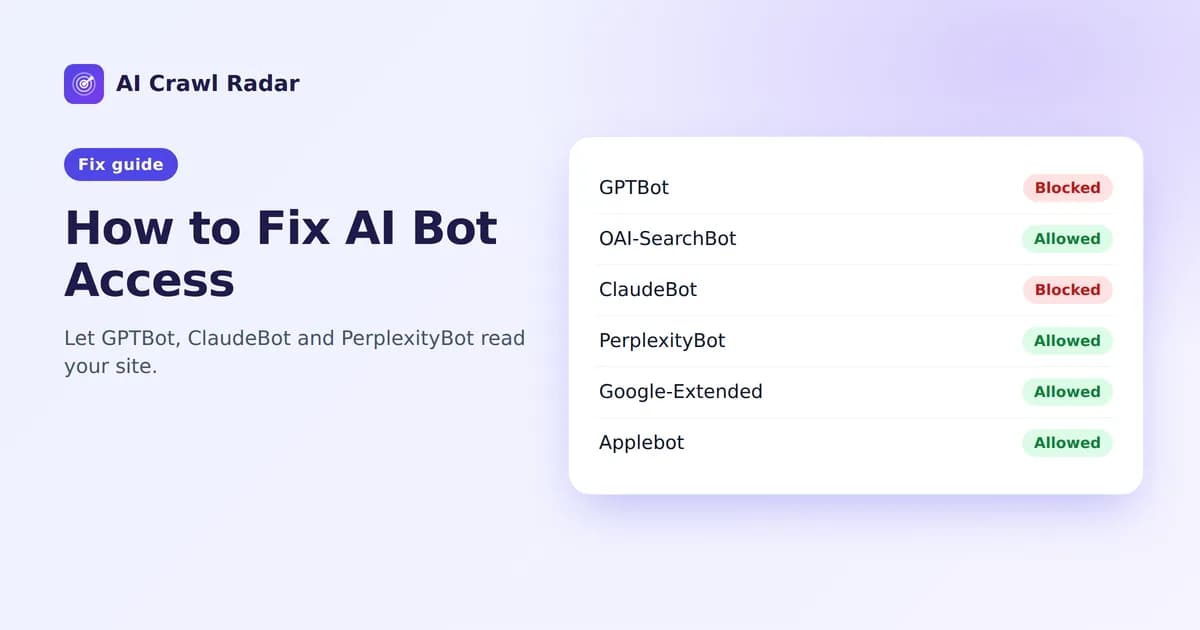
The audit reads your robots.txt and works out, for each of 21 crawlers, whether that crawler may fetch the page you audited and your homepage. Each bot gets one of three results:
- Allowed — the rules that apply to this bot permit the page.
- Blocked — a
Disallowrule that applies to this bot covers the page. - Partial — the bot may fetch your homepage but not the audited page, or the other way around.
The bots are not weighted equally. Crawlers that fetch pages to answer a user's question right now — AI search and assistant bots such as OAI-SearchBot, ChatGPT-User, PerplexityBot and Perplexity-User — count three times. AI training bots such as GPTBot, ClaudeBot, Google-Extended and Applebot-Extended count twice. Classic search engines and data aggregators count once. An allowed bot earns its full weight, a partial one half and a blocked one nothing. If you have no robots.txt at all, every bot is treated as allowed — crawling is permitted by default.
Why the weighting? Blocking a training crawler keeps your content out of future model training. Blocking a search or assistant crawler can keep you out of AI answers today. The second costs you visibility immediately, so it costs more points.
How the matching works
The audit follows the same rules Google documents for robots.txt:
- A bot uses the group whose
User-agentline names it most specifically.User-agent: GPTBotbeatsUser-agent: *. - Only the product token at the start of the line counts, so
User-agent: GPTBot/1.0still means GPTBot. - A more specific token does not capture a shorter one: a group for
Applebot-Extended(Apple's AI-training opt-out) does not apply toApplebot(Apple's search crawler). - Inside a group, the longest matching path wins; on a tie,
AllowbeatsDisallow.
That matters when you read your result: if your report says GPTBot is blocked, there is a specific line in your robots.txt that does it, and the report quotes that line as the reason. On WordPress, the AI Visibility Optimizer plugin lets you set Allow or Disallow for each AI crawler from wp-admin.
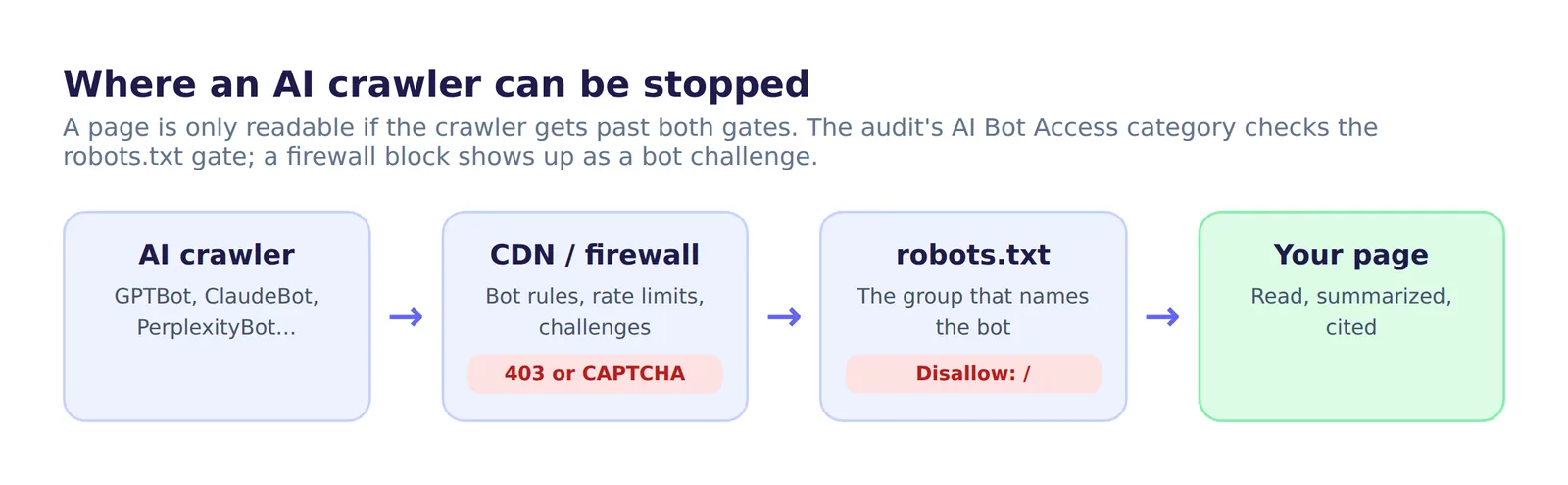
The four common causes — and the fix for each
1. An explicit block in robots.txt
Someone added a group like this, often from a "block AI scrapers" guide:
User-agent: GPTBot
Disallow: /

User-agent: ClaudeBot
Disallow: /
Fix: decide which bots you want, then remove the block or narrow it. To let a bot in, delete its group or change it to:
User-agent: GPTBot
Allow: /
If you only want to keep AI crawlers out of private areas, block those paths instead of the whole site:
User-agent: GPTBot
Disallow: /account/
Disallow: /checkout/
2. A CDN or host that edits robots.txt for you
Some CDNs offer a managed robots.txt that prepends AI-crawler blocks to your own file. Cloudflare's "managed robots.txt" option, for example, adds Disallow: / groups for training crawlers such as GPTBot, ClaudeBot, Google-Extended and Applebot-Extended. Your own file looks fine in your code repository, yet the robots.txt the world receives is different.
Fix: always check the live file at https://yourdomain.com/robots.txt, not the one in your project. If a CDN setting adds the blocks, turn that setting off or adjust it in the CDN dashboard.
3. A firewall that blocks the bot before robots.txt matters
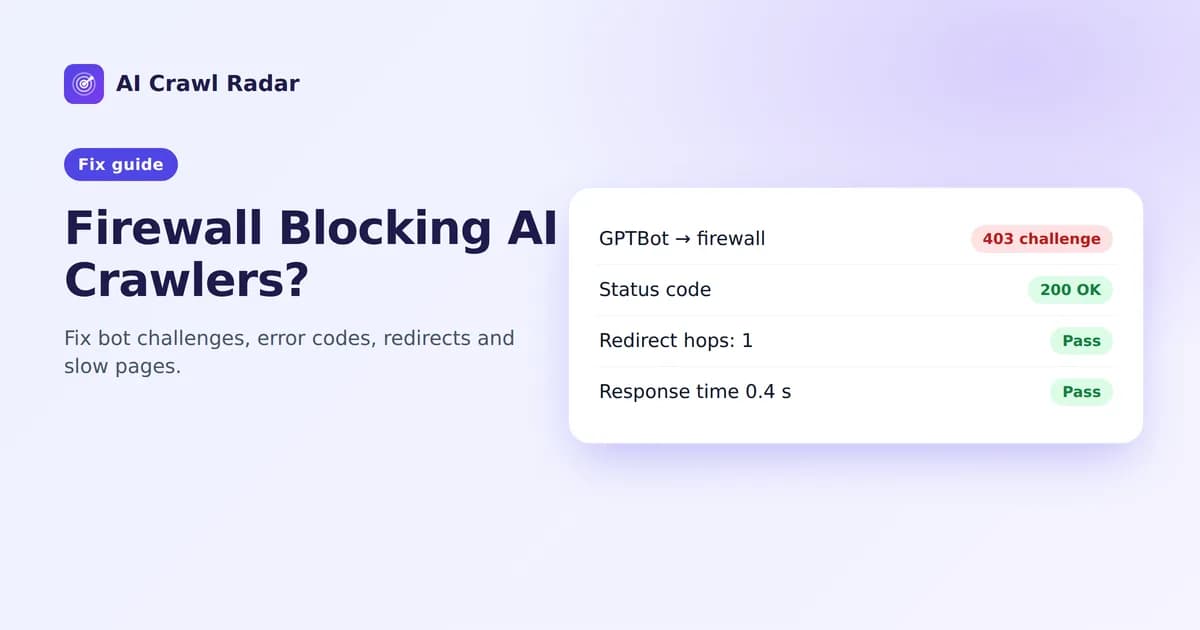
A robots.txt file is a polite request. Firewalls and bot-protection services act on the request itself: they can return a 403 or a challenge page to anything that looks like a crawler. A bot can be "Allowed" in robots.txt and still never see your content. When the audit itself is challenged, it reports a Bot challenge detected finding in the HTTP Health & Performance category — see our guide to HTTP health and performance.
Fix: in your firewall or CDN, allowlist the verified AI crawlers you want rather than blocking every unknown bot. Many providers offer a "verified bots" category, and the major AI companies publish their crawlers' IP ranges, for example OpenAI and Perplexity.
4. A blanket block for every crawler
User-agent: *
Disallow: /
This is common on staging sites and is sometimes copied to production by mistake. It blocks every crawler without its own group, AI and search alike, and it also costs points in the robots.txt Strategy check.
Fix: replace it with Allow: / plus targeted Disallow lines for the areas that really are private.
Training bots vs. answer bots: a sensible default
You do not have to choose between "everything open" and "everything closed". Many sites keep training crawlers out but let search and assistant crawlers in, so they appear in AI answers without contributing to model training:
User-agent: *
Allow: /

# Out of model training
User-agent: GPTBot
Disallow: /

User-agent: Google-Extended
Disallow: /

# In AI search and assistant answers
User-agent: OAI-SearchBot
Allow: /

User-agent: PerplexityBot
Allow: /
With this file, GPTBot and Google-Extended score zero and the search bots score full marks, so AI Bot Access still scores about 23 of 25. Expect two side effects: robots.txt Strategy loses its 3-point "no homepage block" share, and the report shows a "robots.txt and meta robots disagree" warning. The audit flags every deliberate block, so read those as confirmation of your choice, not as errors. Whichever policy you choose, make it a decision rather than an accident.
Tip: Google-Extended is not Googlebot. Blocking Google-Extended controls whether your content is used for Gemini training and grounding; it does not affect Google Search. Blocking Googlebot stops Google crawling your pages, which in practice drops them from Google Search. See Google's list of its crawlers.
How to verify the fix
- Open
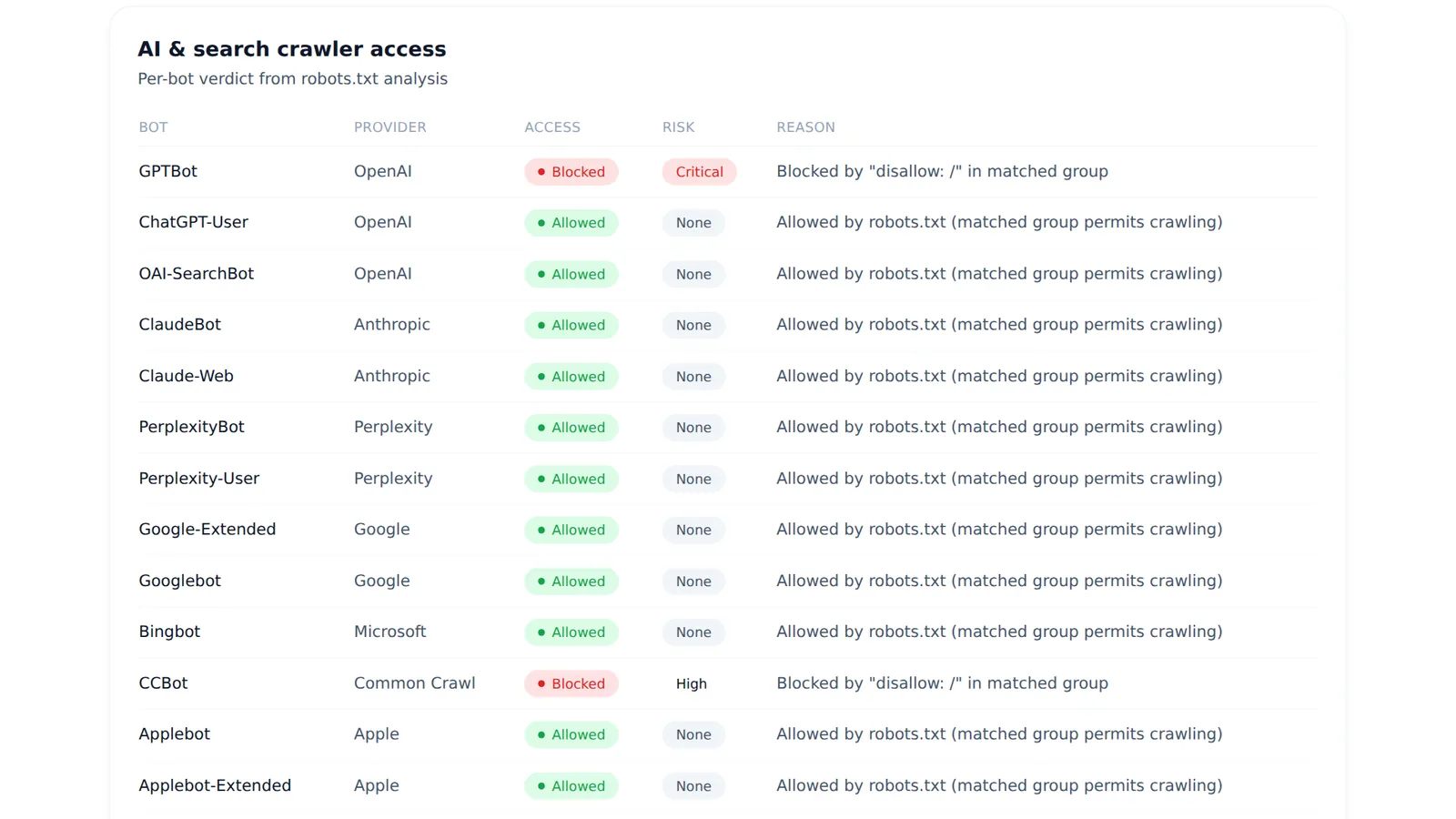
https://yourdomain.com/robots.txtin a private browser window and confirm the live file contains your new rules. - Run a fresh audit in the AI visibility audit tool. Each bot's status is listed in the AI & search crawler access table; for a blocked bot, the reason quotes the rule that blocks it.
- If you use a firewall, check its logs for requests from the bot's user-agent and confirm they return
200, not403.
If your report is public on AI Crawl Radar, the re-check button on the report page refreshes it. Reports also refresh automatically once they are older than 30 days.
Related guides
Frequently asked questions
6 questions people ask about this topic
Should I block GPTBot?
If I block GPTBot, will my site disappear from ChatGPT?
Which Anthropic crawlers should I allow for Claude?
Does blocking Google-Extended affect my Google rankings?
Why are AI crawlers blocked when my robots.txt allows them?
Do AI crawlers actually respect robots.txt?
See how AI crawlers read your site
Run a free AI visibility audit: a 0–100 score and a fix for every lost point.
Analyze my website