On this page
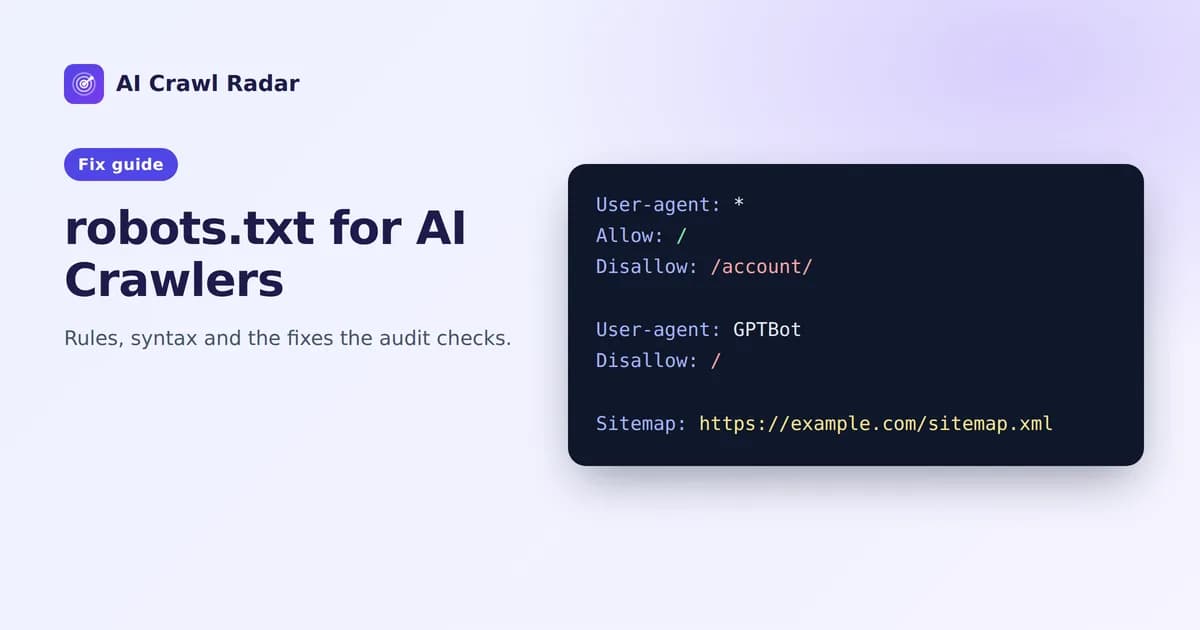
Your robots.txt is the first file most crawlers request, and getting robots.txt for AI crawlers right decides what GPTBot, ClaudeBot and others may fetch. It tells them which parts of your site they may fetch and where your sitemap lives. In an AI Crawl Radar audit it drives two categories: AI Bot Access, which asks whether each AI crawler is let in, and robots.txt Strategy, worth 15 of the 100 points, which asks whether the file itself is well built. This guide covers the second.
How the robots.txt Strategy score is calculated
The score is built from four signals:
| Signal | Share of the category |
|---|---|
| A robots.txt file exists | 50% (40% if it is missing — crawling is still allowed by default) |
It declares at least one Sitemap: | +30% |
| None of the 21 tracked crawlers is blocked from your homepage | +20% |
| Syntax warnings | −5% each, up to −20% |
A file that exists, lists your sitemap, blocks nobody from the homepage and parses cleanly scores the full 15 points.
The findings and fixes you may see
"No robots.txt found"
Without a robots.txt everything is crawlable, which is fine for access but wastes the file's other job: pointing crawlers at your sitemap. The report suggests a minimal file. Put it at the root of your domain, so it is served at https://yourdomain.com/robots.txt:
User-agent: *
Allow: /

Sitemap: https://yourdomain.com/sitemap.xml
It must be at the root. A robots.txt in a subfolder is ignored, and each subdomain needs its own file.
"Declare your sitemap in robots.txt"
Your file exists but has no Sitemap: line. Add one with the full absolute URL. The line can go anywhere in the file and does not belong to any user-agent group:
Sitemap: https://yourdomain.com/sitemap.xmlIf you have several sitemaps, list each one, or list the sitemap index file. More on sitemaps in Sitemaps and AI discovery.
"robots.txt has syntax warnings"
The audit reports the line numbers it could not use. The two warnings it raises are:
- Missing ':' separator — every directive needs a colon, as in
Disallow: /admin/. Many parsers ignore a line such asDisallow /admin/. Google tolerates it, but you cannot count on other crawlers doing the same, so the rule you thought you had may not exist. - Allow or Disallow before any User-agent — rules must come after the
User-agentline they belong to. Rules at the top of the file with no group above them apply to nobody.
Fix the reported lines, then reload the live file to make sure your edit is what is actually served.
Homepage blocked for a crawler
If any crawler is disallowed from /, the category loses its 20% "no homepage block" share, and the bot in question is also marked Blocked under AI Bot Access (or Partial, if only the homepage is blocked). Sometimes that is exactly your intent, for example blocking a training crawler. Sometimes it is a leftover Disallow: / from a staging site. Check every group with Disallow: / and keep only the ones you meant.
Rules that trip people up
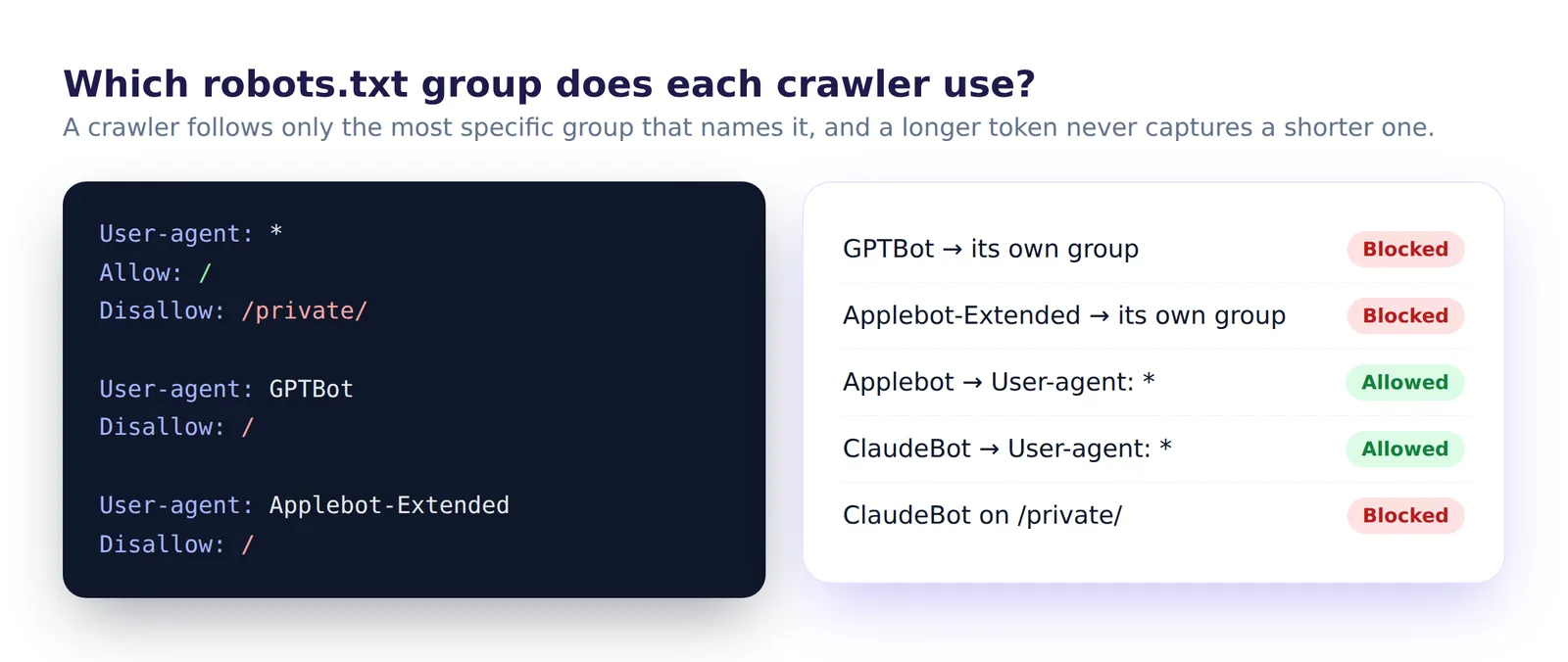
Specific groups replace the general one
A crawler obeys only the most specific group that names it. If you write:
User-agent: *
Disallow: /private/

User-agent: GPTBot
Disallow: /drafts/
GPTBot follows only its own group. It may crawl /private/, because the * rules no longer apply to it. Repeat any shared rules inside each named group.
The longest matching path wins
Within a group, the rule with the longest matching path takes effect, and Allow wins a tie. This lets you open one folder inside a blocked area:
User-agent: *
Disallow: /docs/
Allow: /docs/public/
Wildcards
* matches any sequence of characters and $ anchors the end of the URL. Disallow: /*.pdf$ blocks PDFs only.
Check the live file, not the file in your code
CDNs and some hosting panels can add rules to robots.txt on the way out. The file that counts is the one served at your domain, which is also the one the audit reads. Fixing AI bot access covers the Cloudflare case.
Remember: robots.txt controls crawling, not indexing. A page blocked in robots.txt can still appear in search results if other sites link to it. To keep a page out of results, let it be crawled and add a noindex meta tag. Our technical SEO guide covers the conflict this creates.
A solid starting template
# Everyone may crawl the public site
User-agent: *
Allow: /
Disallow: /admin/
Disallow: /account/
Disallow: /cart/

Sitemap: https://yourdomain.com/sitemap.xml
From here, add named groups only for crawlers you want to treat differently. Fixing AI bot access shows an example that keeps training bots out but lets AI search bots in.
Verify
- Open
/robots.txton your live domain and read it top to bottom. - Re-run the AI visibility audit. The robots.txt Strategy category shows the new score, and AI Bot Access shows the blocking rule for any blocked bot.
- On WordPress, the AI Visibility Optimizer plugin has a robots.txt assistant that merges AI-friendly rules with your SEO plugin's rules instead of overwriting them.
Related guides
Frequently asked questions
6 questions people ask about this topic
Where does robots.txt have to be?
Does robots.txt keep a page out of search results?
Do I need a separate group for each AI crawler?
Can I block AI crawlers from some pages but not others?
Is Crawl-delay supported?
How do I test my robots.txt?
See how AI crawlers read your site
Run a free AI visibility audit: a 0–100 score and a fix for every lost point.
Analyze my website