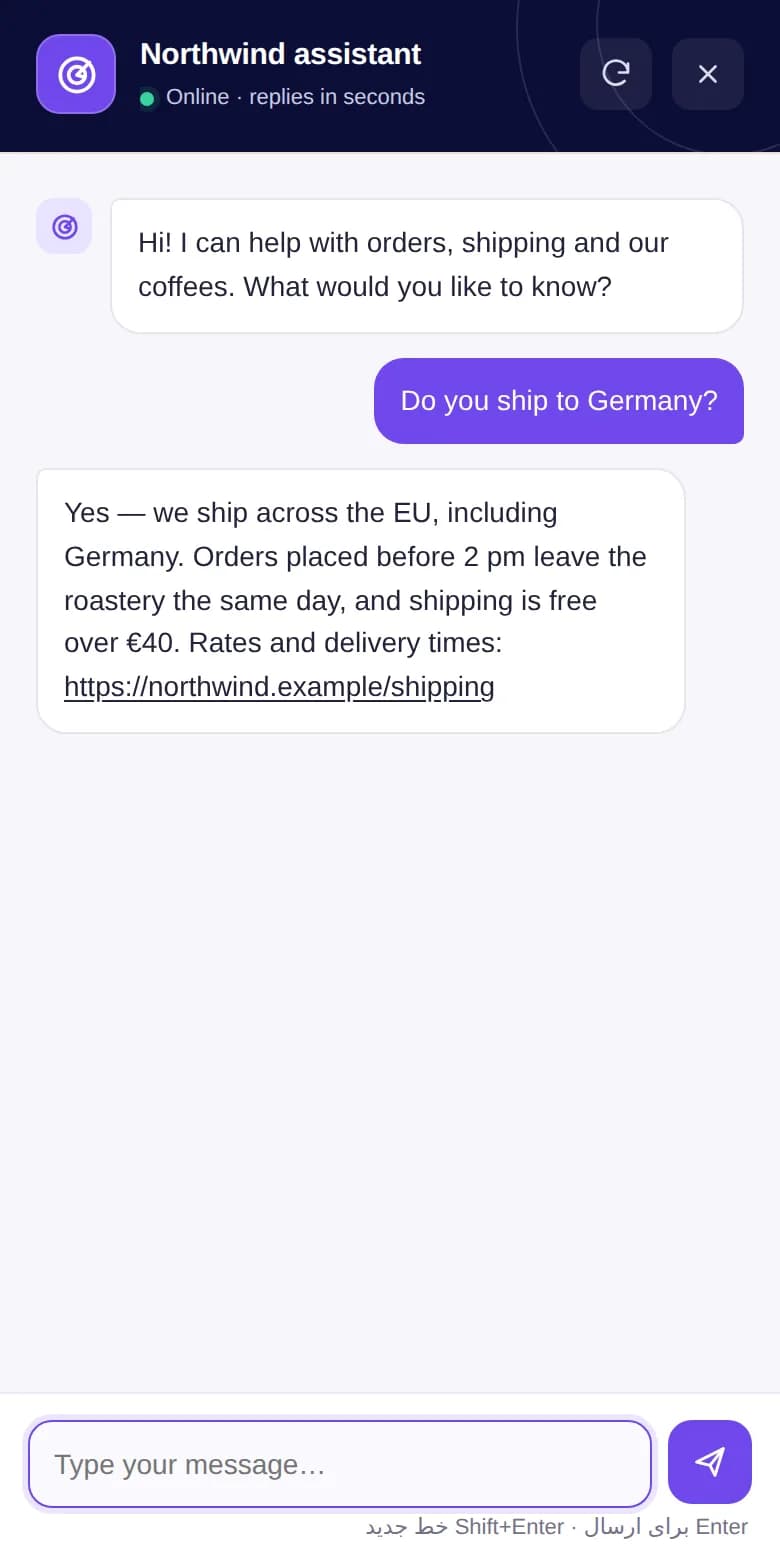
Answers from your own site
Site knowledge reads your menus, key pages, FAQ, WooCommerce products and recent posts, so replies quote your real prices, policies and links.
WP AI Chat 1.3.0 · free WordPress plugin
Add a branded AI assistant to any WordPress site. It answers visitors from your own pages, products and FAQ, with the AI provider you choose — OpenAI, Claude, Gemini and more — and your API key never leaves your server.
Works with
Visitors get quick, accurate answers. You keep control of the provider, the cost and the data.
Site knowledge reads your menus, key pages, FAQ, WooCommerce products and recent posts, so replies quote your real prices, policies and links.
OpenAI, Claude, Gemini, DeepSeek, Mistral, Groq, xAI, OpenRouter, Together AI or any OpenAI-compatible endpoint. Switch any time.
Visitors talk to WordPress and WordPress talks to the provider. The API key never reaches the browser.
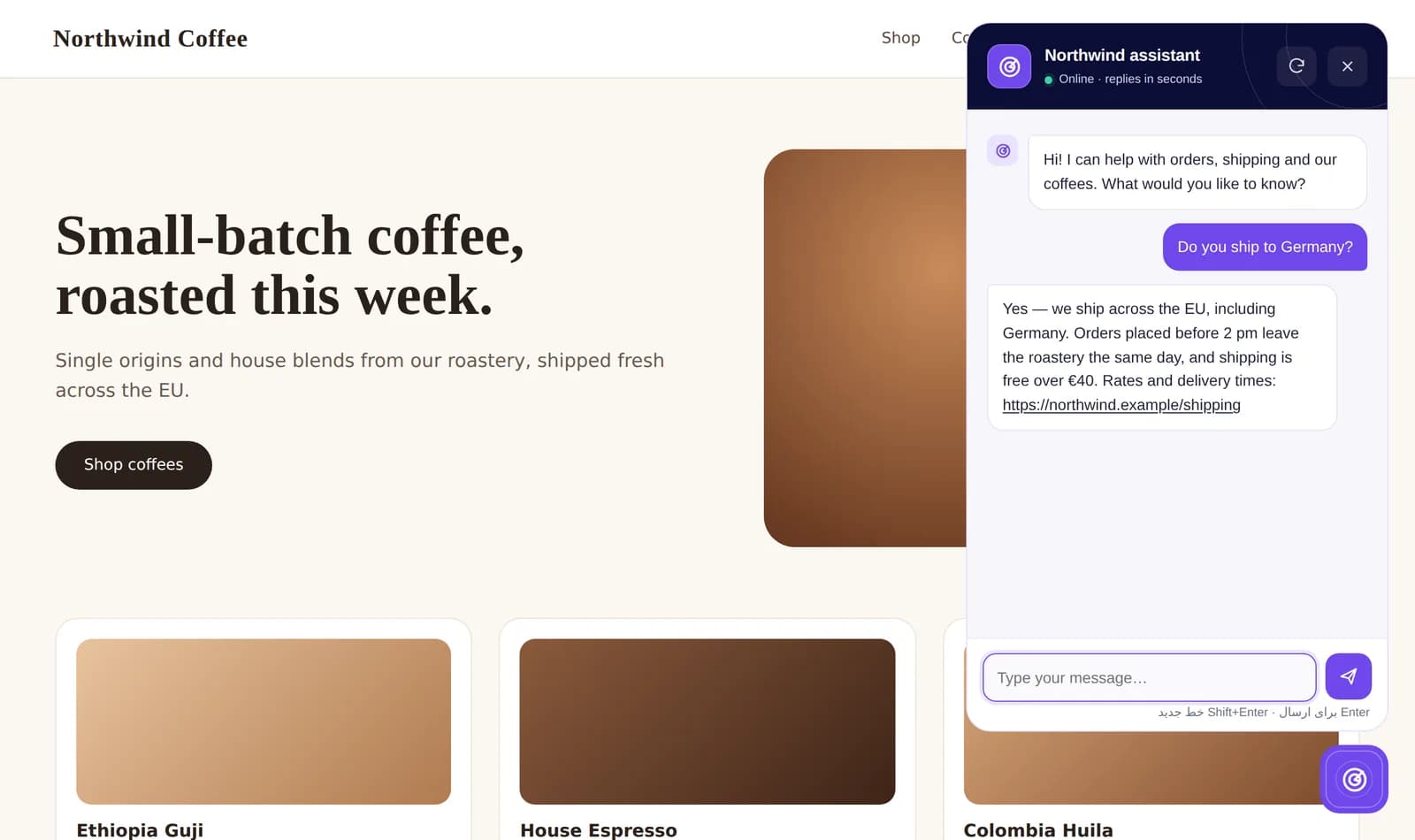
Radar, light and dark themes, your accent and launcher colors, avatar, icon, title, welcome text and quick suggestions.
Separate desktop and mobile corners, spacing and visibility, with an optional full-screen chat on small screens.
Cap messages per visitor per hour, day, week or month, and choose what the visitor sees when the limit is reached.
If the AI provider is down or returns an error, the chat offers a short contact form instead. Submissions are listed in wp-admin with CSV export.
A deferred, dependency-free script and a non-blocking stylesheet. Translated into 10 languages besides English, keyboard accessible and RTL-ready.
They open the chat, tap a suggestion or type a question. The widget sends it to your own WordPress site with a short-lived session token.
The plugin checks the visitor's message limit, adds your instructions, the site knowledge and the page they are on, and calls your AI provider from the server.
The reply appears in the chat with clickable links to the right page or product. Nothing about the conversation is saved on your site.
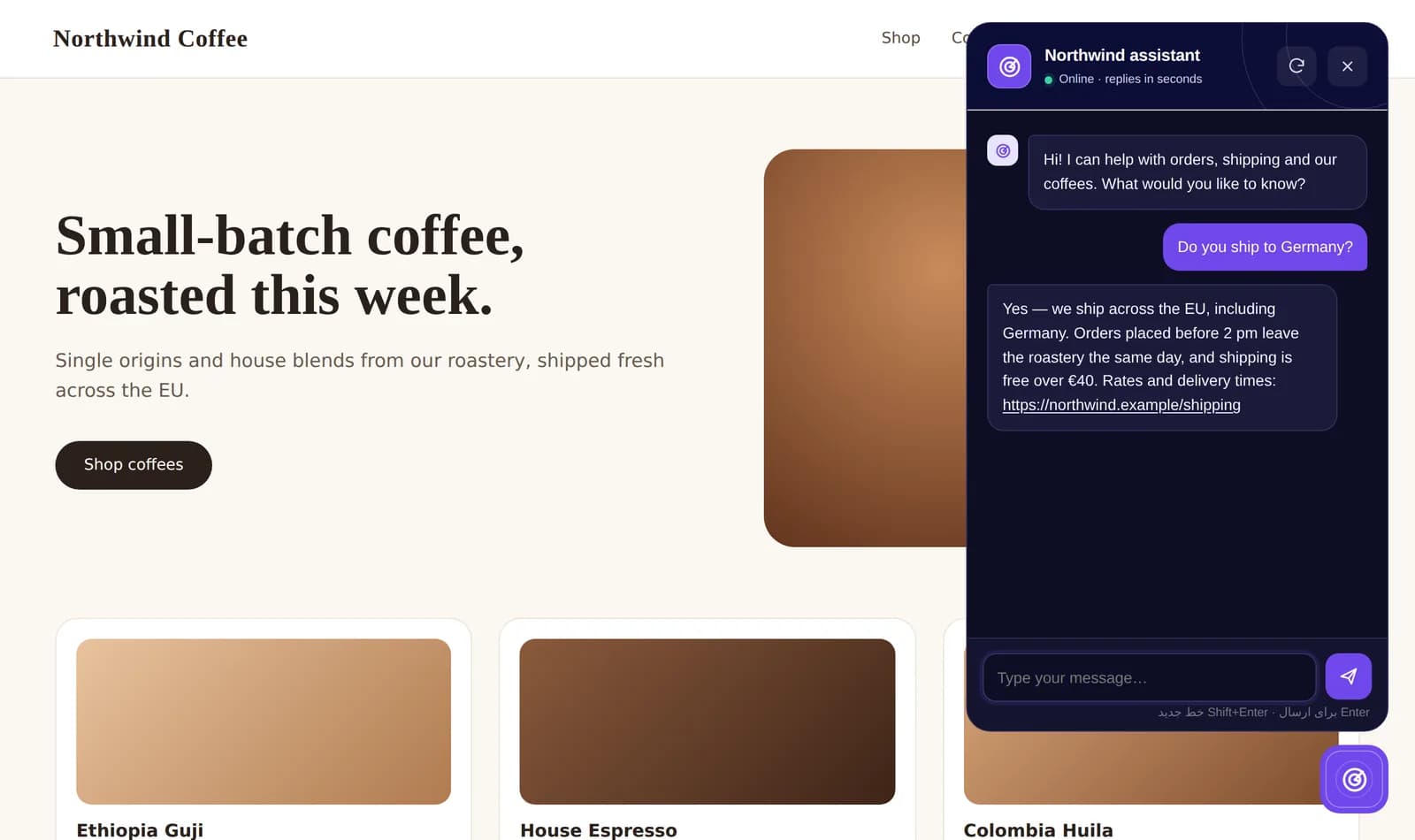
Site knowledge
One click scans your menus, pages, products and posts into a snapshot the assistant answers from. You can read exactly what it knows, add facts the site does not say, and let it refresh on a schedule.
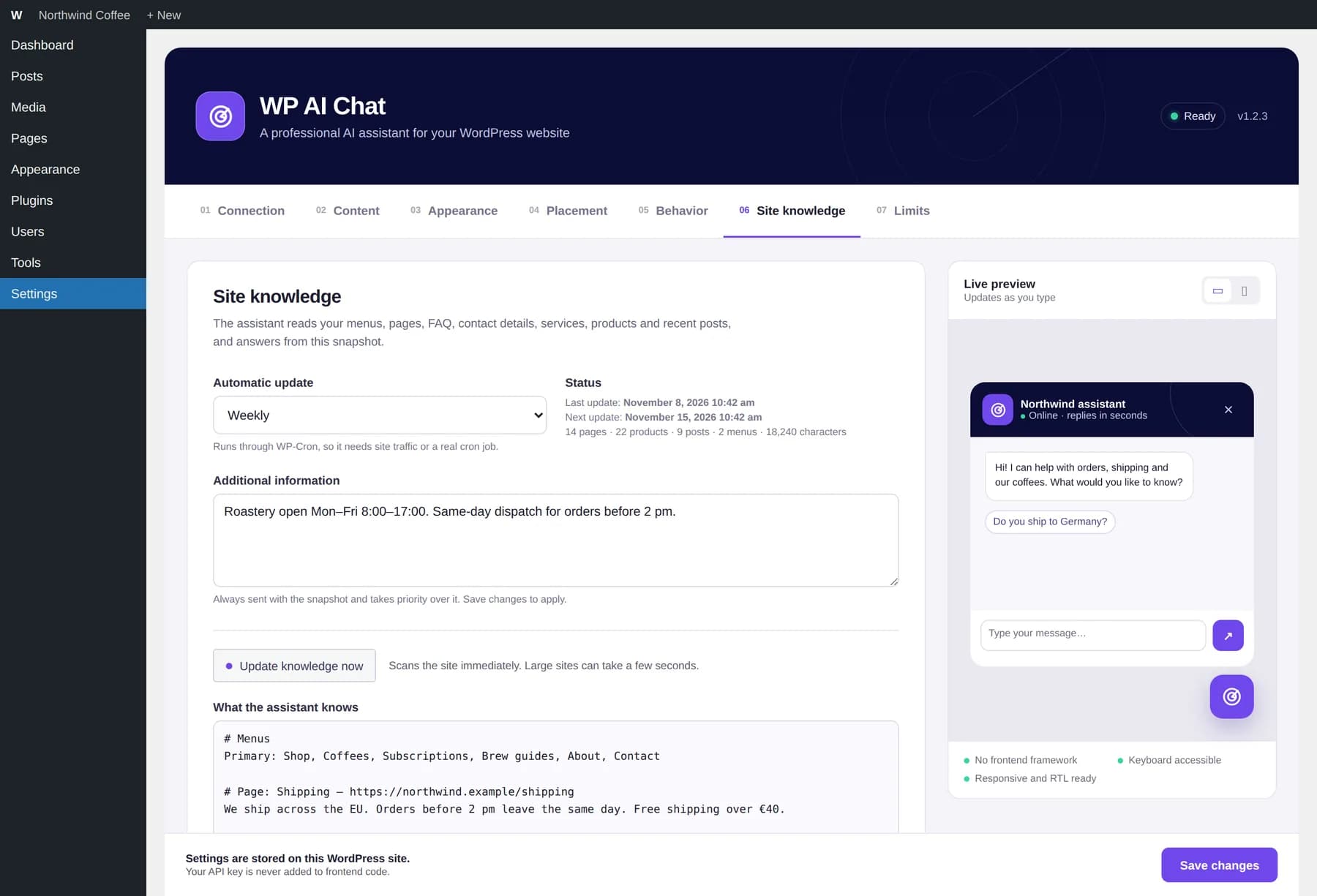
Appearance
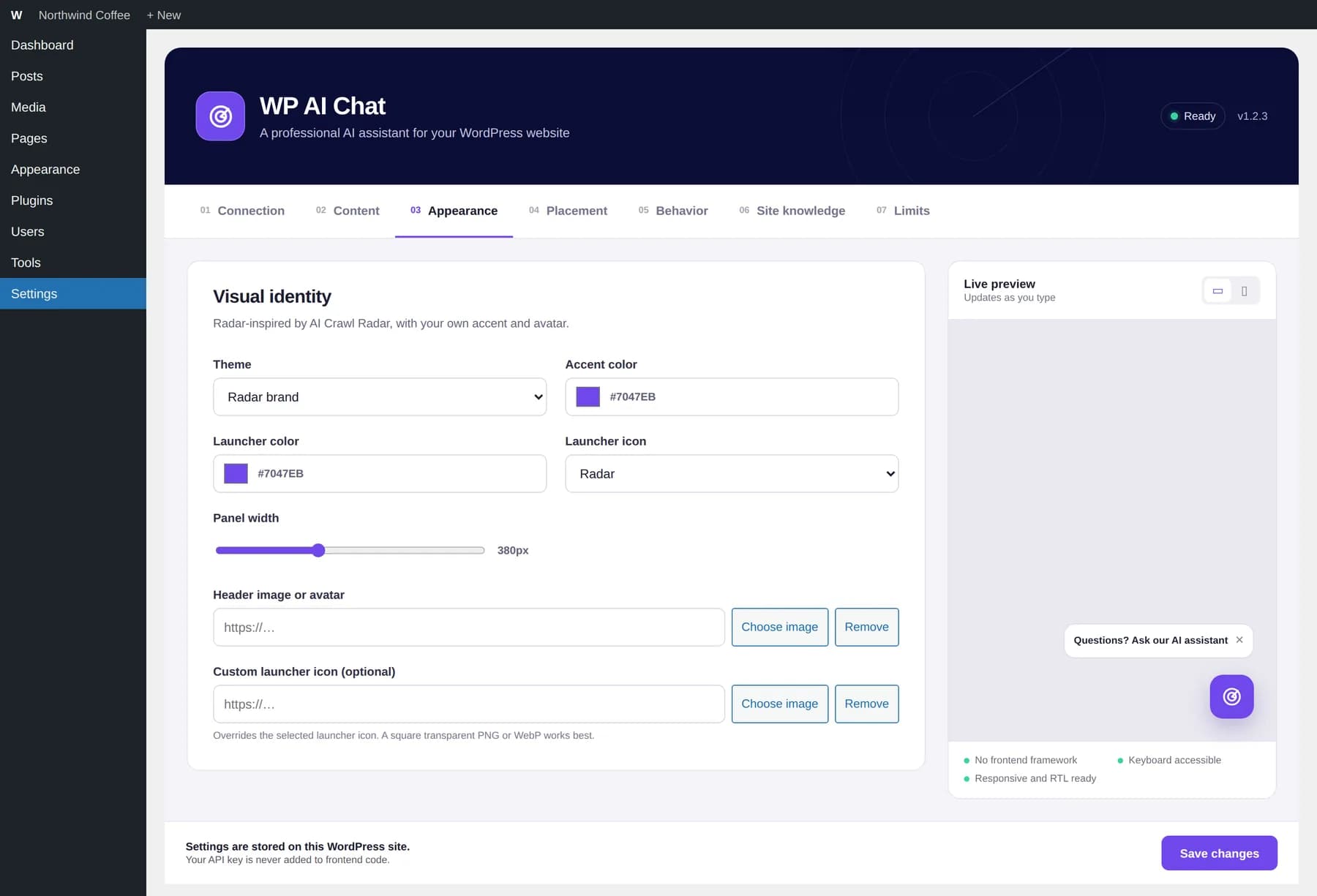
Pick a theme and accent colour, upload an avatar or launcher icon, and set the panel width. A live preview beside every tab shows the result before you save.
Limits
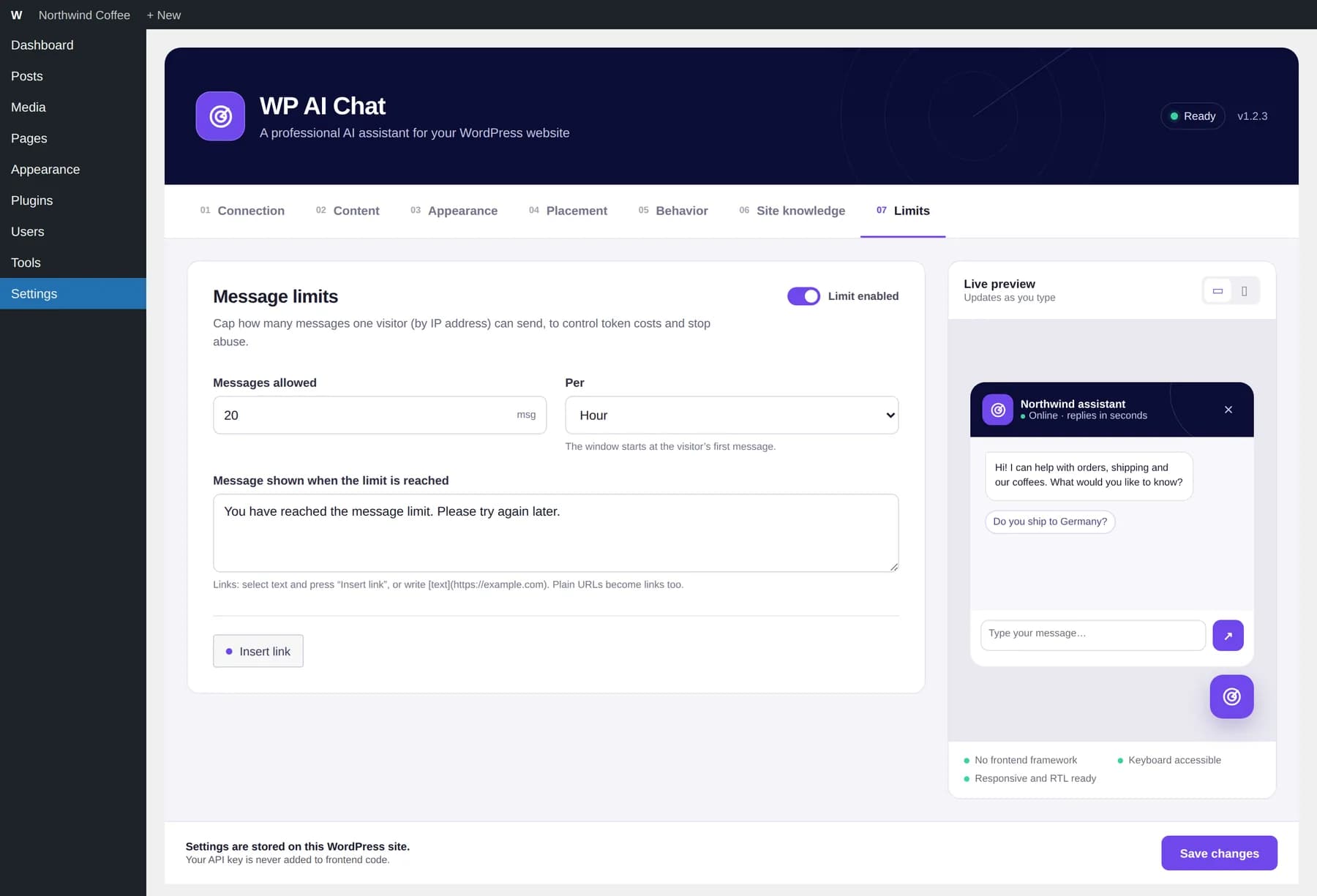
Decide how many messages one visitor may send in an hour, day, week or month. When the limit is reached they see your message, with links if you add them.
You need WordPress 5.8 or later, PHP 7.4 or later, and an API key from the AI provider you want to use.
Download the ZIP from this page. Keep it zipped — WordPress installs it as it is.
In wp-admin open Plugins → Add New Plugin → Upload Plugin, choose wp-ai-chat.zip, install it and click Activate.
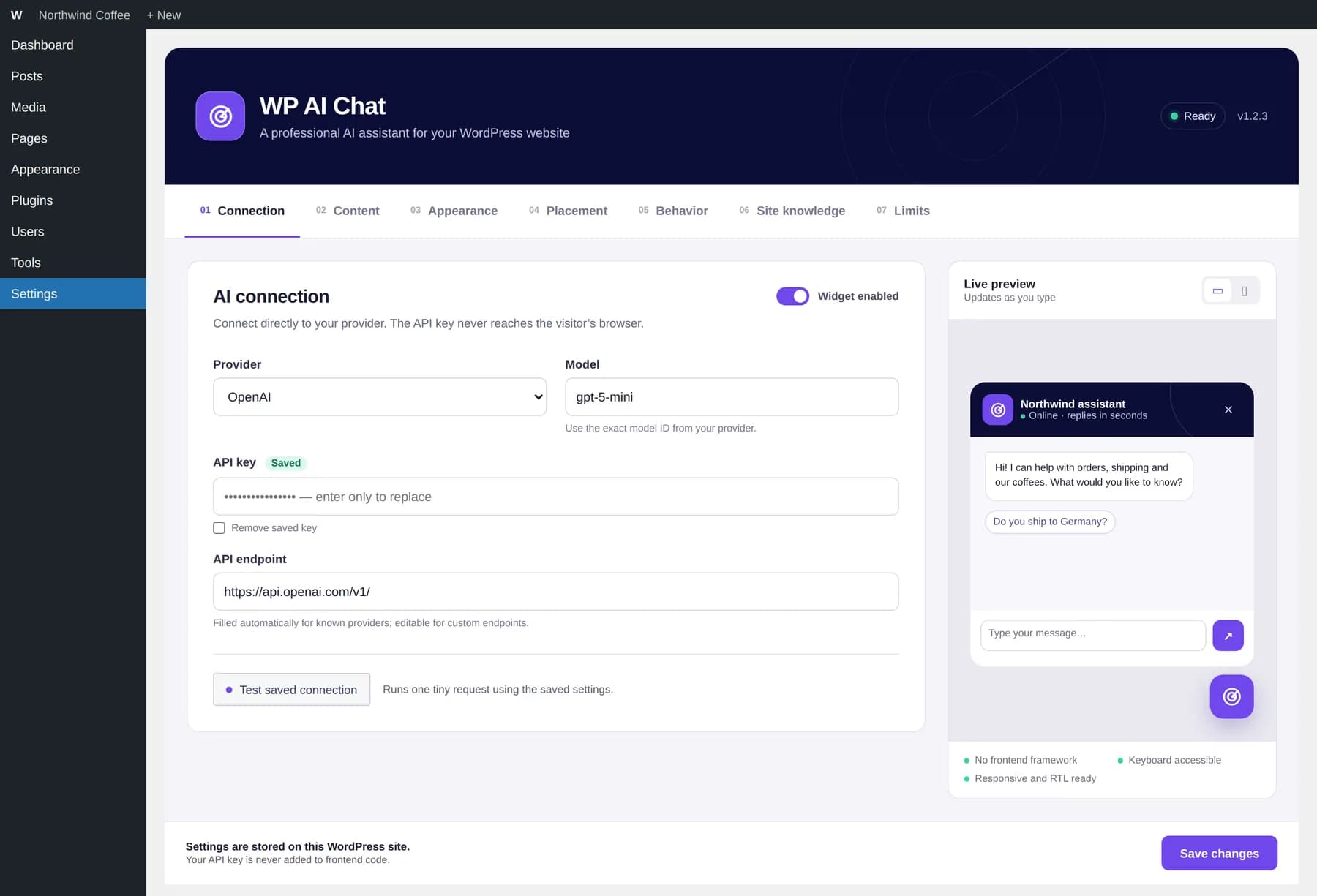
Open Settings → WP AI Chat. On Connection, pick a provider, paste its API key, enter the exact model ID, save, then press Test saved connection.
On Site knowledge, press Update knowledge now, choose how often it refreshes, and add anything not written on the site — opening hours, delivery times, current offers.
Set the title, welcome message and quick suggestions on Content, colors and icon on Appearance, corners and spacing on Placement. The live preview updates as you type.
Choose a message limit on Limits, and if your site is behind Cloudflare or another proxy, set Visitor IP source. Make sure Widget enabled is on, save, and open your site to try it.
Choosing a provider fills in its endpoint for you. Use the exact model ID your provider lists, and press Test saved connection after saving — it sends one tiny request and shows the provider's answer or its error.
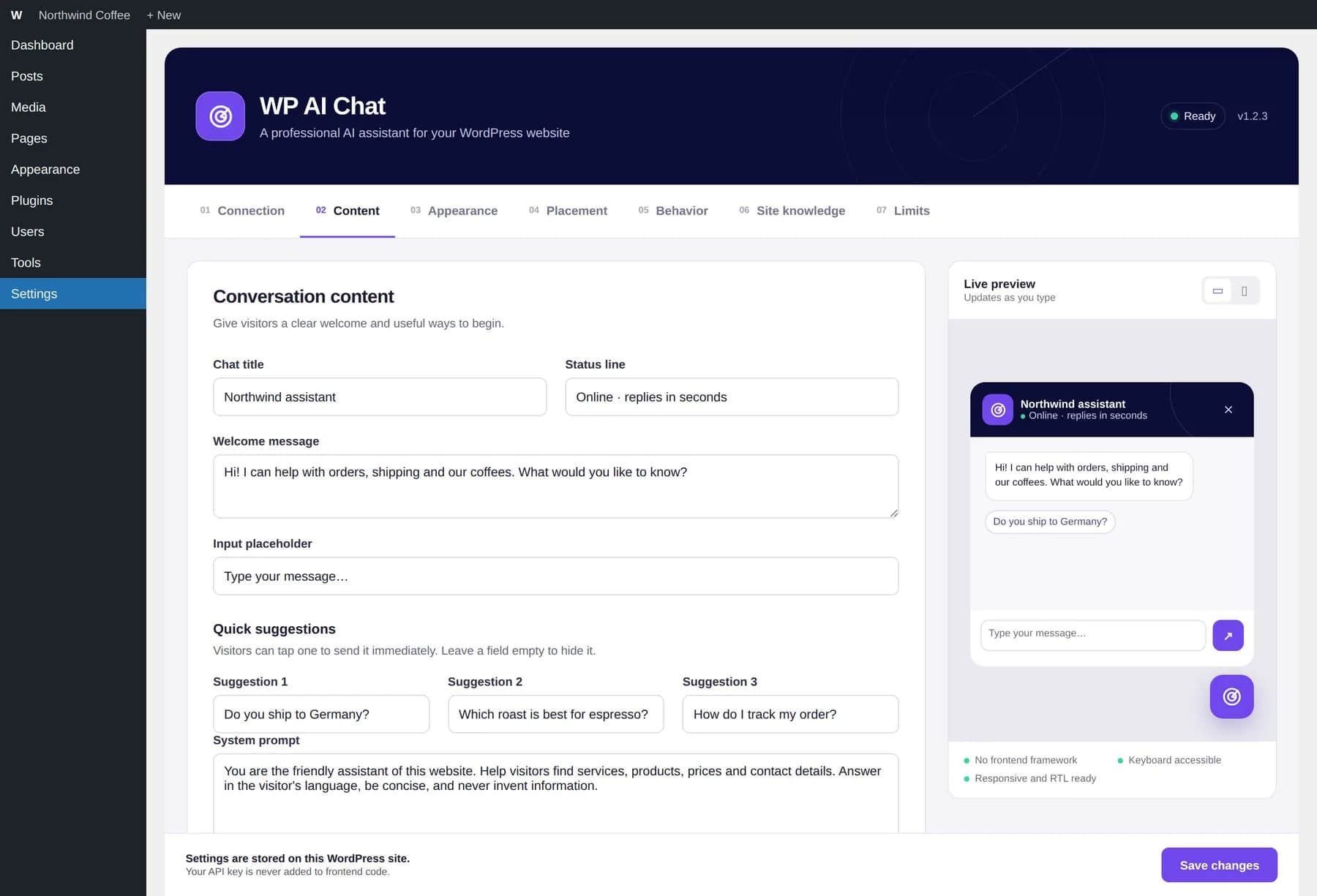
Write the chat title, status line, welcome message and up to three quick suggestions, and set the system prompt that defines the assistant's role, tone and boundaries.
wpaic_client_ip filter.Nothing leaves your site until you enable the widget, configure a provider and a visitor sends a message. Then the message, the current page URL and title, your system prompt and the site-knowledge snapshot (public site content) go to the provider you selected, under that provider's own terms and privacy policy. WP AI Chat does not store conversations, and visitors never see provider error details. If the provider cannot answer and the fallback contact form is on, a visitor who fills it in has their name, email, phone, last question and page URL saved in your WordPress database until you delete them; you can turn the form off in the Behavior tab.
Mention the chat and your provider in your own privacy policy, as you would for any third-party service.
Something else? Ask us.
Free, GPL-licensed and ready for any WordPress site.